Every font here is free for personal and commercial use (open licenses from Google Fonts). Get font opens the official download page.
Calligraphy Font Generator: Styles to Copy and Fonts to Preview
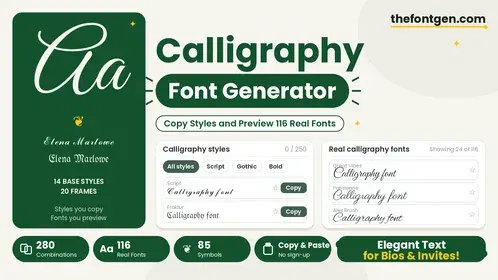
This tool gives you two kinds of calligraphy in one place. The Calligraphy styles tab turns your words into Unicode letters you can copy and paste, and the Real calligraphy fonts tab previews 116 Google Fonts you can load on a website or open on Google Fonts. A calligraphy font here starts with 14 base styles and 20 decoration frames, which makes 280 fixed combinations before later variations appear.
The name Elena Marlowe shows the difference, because it becomes ℰ𝓁ℯ𝓃𝒶 ℳ𝒶𝓇𝓁ℴ𝓌ℯ in plain Script on the Calligraphy styles tab. The same name in the Real calligraphy fonts tab stays as normal letters drawn by a calligraphy font such as Great Vibes, which is why the two results need different steps after you pick one.
What Is a Calligraphy Font?
A calligraphy font is a set of letters shaped like pen writing, with thick and thin strokes, flowing joins and flourishes that plain typing does not have. The pen look works best for short wording, and a full paragraph in a calligraphy font can tire the eye.
Calligraphy, Cursive, and Hand Lettering
Cursive is joined handwriting made for speed, calligraphy is pen lettering made for form, and hand lettering is drawn lettering made for one design. A cursive generator usually focuses on joined handwriting for bios and names, and the joined letter maker on this site is the closer place to start for that job.
The words Willow Creek show the pen side here, because they become 𝒲𝒾𝓁𝓁ℴ𝓌 𝒞𝓇ℯℯ𝓀 in plain Script with a formal slant. The formal slant of a calligraphy font suits invitations and titles, while a casual handwriting slant suits everyday notes.
Traditional Calligraphy Styles Explained
Pointed pen scripts use pressure for hairline upstrokes and shaded downstrokes, broad nib scripts use a fixed pen angle so stroke thickness depends on stroke direction, and brush scripts use a flexible tip for a looser look. Formal pointed pen work is often linked with Copperplate, a formal English script, and Spencerian is a lighter American pointed pen hand from the 1800s. This tool does not label any calligraphy font as Copperplate or Spencerian, so use those names as a guide to the look rather than as filter names.
Blackletter is the dense angular family from medieval European books, and Fraktur is one of its well known forms. Italic in the calligraphy sense is the slanted chancery hand from Renaissance Italy. The words Autumn Leaves show the Blackletter side of a calligraphy font, because they become 𝔄𝔲𝔱𝔲𝔪𝔫 𝔏𝔢𝔞𝔳𝔢𝔰 in Fraktur with dense upright strokes.
Two Ways to Get Calligraphy Text in This Tool
Unicode styles change the letters themselves, so the style travels inside the text after you paste it. A real calligraphy font changes how normal letters are drawn, so the style stays only where the font is loaded. Knowing which kind of calligraphy font you need saves you from a paste that looks normal when you expected script.
Unicode Styles You Can Copy and Paste
Unicode styles swap each letter from A to Z for a different character, mostly from the Mathematical Alphanumeric Symbols block with a few letters from the Letterlike Symbols block, while Circled, Fullwidth and Small caps use other blocks. That swap lets a calligraphy font survive a paste into a field with no font choice, such as a bio or a display name. The name Maya Thompson shows the swap, because it becomes 𝓜𝓪𝔂𝓪 𝓣𝓱𝓸𝓶𝓹𝓼𝓸𝓷 in Bold script with the same letters in the same order.
Real Fonts You Preview and Load
Real fonts preview normal letters in a calligraphy style, and copying plain letters from a preview loses the look in the destination app. Each font card has two web buttons, Copy link tag for loading and Copy CSS for applying, plus Get font which opens the official Google Fonts page in a new tab. Preview a name in Pinyon Script from the Elegant formal group at 40 pixels.
How to Use This Calligraphy Font Generator
The tool opens with a sticky input box at the top and five tabs below it, with the Calligraphy styles tab selected first. The input box holds up to 250 characters and shows a live count in code points, which is hidden on narrow phone screens, and the Clear text button empties it in one tap. Empty input shows the sample words Calligraphy font on the cards until you type.
The Random style button above the grid picks one style from the first 600 indexes, which cover variations 0 to 42 only, and shows it in a single card. It is a quick way to sample a style without scrolling, and each click replaces the single card, which copies and saves like any other card. On narrow phone screens the grid shows one column, the toolbar stacks, and the Random style button stretches full width.
Copy and Paste a Style
For calligraphy font copy and paste, type or paste your words into the box, pick a pill to narrow the grid or stay on All styles, and tap Load more styles for 24 more cards each time, with no total counter and no end message as you keep loading. The seven pills are All styles, Script, Gothic, Bold, Italic, More styles and Decorated, and tapping a pill resets the grid to the first 84 cards that match the pill. Tap a card away from the star, or tap its Copy button, to copy the styled text, with a Copied message and a toast to confirm it.
The name Nora Bennett shows a decorated result, because it becomes ❦ 𝒩ℴ𝓇𝒶 ℬℯ𝓃𝓃ℯ𝓉𝓉 ❦ in Script variation 2 with a flourish frame on both sides. The frame is part of the copied text in a calligraphy font, so it pastes with the name and counts toward any limit in the destination field.
Preview a Real Font
Open the Real calligraphy fonts tab for the first time on All fonts to see the first 24 fonts, with a counter that reads Showing 24 of 116 fonts. The Load more fonts button adds up to 24 more, with 20 on the last load, and hides when all 116 are shown.
Filter with the seven pills, change the size with the slider from 22 to 80 pixels starting at 40 pixels, and switch between Curated mix, which mixes the groups, and A to Z sort, with each pill or sort change resetting the grid to the first 24 fonts. For web use, tap Copy link tag to load the font and Copy CSS to apply it, tap Get font to open the Google Fonts page, or tap the star to save the font for later.
The Light and Dark buttons change only the preview background and text color in this tab, and tapping the preview text itself does not copy anything. Preview a name in Dancing Script from the Wedding and romantic group at 56 pixels, and check whether the joins read clearly at that size.
Copy a Symbol or a Divider
Open the Symbols and flourishes tab to see 85 chips in five groups, and tap any chip to copy it on its own. A symbol tap does not insert the mark into the input box, so you paste it where you want it by hand and build the final line in the destination field. The divider ⋆⭒˚。⋆୨୧⋆。˚⭒⋆ copies as one piece, and it pairs with a name when you paste the two parts together in a caption.
Check the Platform Preview
Open the Platform preview tab to see four mockups for an Instagram bio, a WhatsApp about line, a Facebook post and a Discord name. The mockups show the last style you copied, not the last style you looked at, and the info line names that style for you. The name Liam Carter shows the check, because it becomes 𝑳𝒊𝒂𝒎 𝑪𝒂𝒓𝒕𝒆𝒓 in Bold italic after you copy that card and appears in all four mockups at once.
The preview has no copy button inside it, so copy a different style and check again when you want to compare. If you have copied nothing yet, the preview shows plain Script as the starting style. Type new words after copying and the preview words change too, in the same copied style.
Save Styles and Fonts to Favorites
Tap the star on any style card or font card to save it, and tap the star again to remove it. The Favorites tab counts saved styles and saved fonts together and shows them under separate headings, and saved styles follow new input text because the tool saves the style index, while saved fonts also update when the input text changes. Favorites live in the browser on one device, so they do not travel to another phone or browser on their own.
The name Zoe Alvarez shows the step, because it becomes 𝑍𝑜𝑒 𝐴𝑙𝑣𝑎𝑟𝑒𝑧 in Italic and the star on that card saves the Italic style. Type a different name later and the saved Italic card will show the new name in the same style.
Calligraphy Font Styles From Formal Script to Gothic
The Calligraphy styles tab holds 14 base styles for a calligraphy font, each a full Latin alphabet mapping, with 20 fixed decoration frames on top of them. On All styles on first load, the first 14 cards show each base once without a frame, and the next cards show the same bases with frames in turn through variation 5 in the first 84 cards. The pills group the bases by look, and a few bases belong to more than one pill.
Script and Gothic Calligraphy Fonts
The Script pill holds Script and Bold script, and plain Script gives a handwritten calligraphy font look in formal pen writing, with special letters for capitals such as B, E, F, H, I, L, M and R, plus special forms for small e, g and o. The name Clara Whitfield shows the weight difference, because it becomes 𝒞𝓁𝒶𝓇𝒶 𝒲𝒽𝒾𝓉𝒻𝒾ℯ𝓁𝒹 in Script and 𝓒𝓵𝓪𝓻𝓪 𝓦𝓱𝓲𝓽𝓯𝓲𝓮𝓵𝓭 in Bold script. Pick Bold script when the words must read at a small size, and pick plain Script when the words will be large.
The Gothic pill holds Fraktur and Bold fraktur for dense Blackletter headings, and plain Fraktur has special forms for C, H, I, R and Z that can look unfamiliar at first glance. The name Edgar Vaughn shows the two Gothic weights, because it becomes 𝔈𝔡𝔤𝔞𝔯 𝔙𝔞𝔲𝔤𝔥𝔫 in Fraktur and 𝕰𝖉𝖌𝖆𝖗 𝖁𝖆𝖚𝖌𝖍𝖓 in Bold fraktur. Dense strokes leave less open space inside the letters in a Gothic calligraphy font.
Italic, Bold, and More Styles for Readable Text
The Italic pill holds Italic, Bold italic, Sans italic and Sans bold italic, and the Bold pill holds Bold script, Bold fraktur, Bold italic, Sans bold italic and Bold, with Bold italic and Sans bold italic in both pills. Italic gives a soft slant, Sans italic gives a clean slant without serifs, and Bold gives weight without a slant. The name Priya Nair shows the contrast, because it becomes 𝑃𝑟𝑖𝑦𝑎 𝑁𝑎𝑖𝑟 in Italic and 𝐏𝐫𝐢𝐲𝐚 𝐍𝐚𝐢𝐫 in Bold.
The More styles pill holds Double struck, Monospace, Small caps, Circled and Fullwidth, five more Unicode styles for labels and headings where a script would feel too soft. The name Silas Grant shows two of the five, because it becomes Ⓢⓘⓛⓐⓢ Ⓖⓡⓐⓝⓣ in Circled and Silas Grant in Fullwidth.
Decorated Styles and Later Variations
Fancy calligraphy fonts in this tool mean the same bases with decoration frames added, rather than a separate set of alphabets. The 20 fixed frames for a calligraphy font include star, flourish, heart, flower, moon, bracket and divider frames, and a framed card label names the variation number, while a plain card shows the base name only. After variation 19, new frames are made from a pool of 18 symbols with combining marks that add lines above or below the letters or dots below the letters.
The name Felix Romano shows both stages, because it becomes ❀ ℱℯ𝓁𝒾𝓍 ℛℴ𝓂𝒶𝓃ℴ ❀ in Script variation 5 with a flower frame and ⁂ ℱ̲ℯ̲𝓁̲𝒾̲𝓍̲ ℛ̲ℴ̲𝓂̲𝒶̲𝓃̲ℴ̲ ⁂ in Script variation 20 with a generated frame and underline marks. The flower frame pastes cleanly in most places, while the marked form needs a quick test before you rely on it. For more decoration on a dedicated page, the ornate letter maker on this site gives you decorated letter styles for bios and captions.
The 116 Real Fonts, Group by Group
The Real calligraphy fonts tab holds 116 Google Fonts in six groups, with 102 Latin script fonts and 14 Arabic and Urdu fonts. The five Latin groups are Elegant formal with 21 fonts, Wedding and romantic with 24, Signature with 30, Brush and casual with 17, and Gothic and chancery with 10. The tool marks each card as free for commercial use, but a calligraphy font in this tab still carries its own license information, so check the license on the Google Fonts page for the font you pick before you use it in a logo or a product.
Elegant, Wedding, and Signature Fonts
Elegant formal fonts such as Great Vibes, Pinyon Script and Allura suit formal names and invitations, Wedding and romantic fonts such as Parisienne and Dancing Script suit romantic wording, and Signature fonts such as Mrs Saint Delafield suit a single name or a monogram.
Compare the same name in one calligraphy font from each group before you decide, since the mood changes even when the words stay the same. Try a name at 40 pixels in Great Vibes, Parisienne and Mrs Saint Delafield, which are the first three cards in Curated mix order, and preview them one after another.
Brush, Gothic, and Chancery Fonts
Brush and casual fonts such as Satisfy, Kaushan Script and Pacifico suit quotes and modern lettering, while Gothic and chancery fonts such as UnifrakturCook, Pirata One and Cinzel Decorative suit headings and historic themes.
A modern calligraphy font in this tool is usually a brush script with loose strokes, rather than a strict formal hand, and the Brush and casual group is the place to start checking for that look. Check the range at 48 pixels in Kaushan Script, UnifrakturCook and Cinzel Decorative, and use the group pills to find each font in turn.
Arabic Calligraphy Font and Urdu Fonts in This Tool
14 Arabic and Urdu Fonts to Explore
The Arabic and Urdu group holds 14 fonts for Arabic script preview, and it works differently from the Latin groups. If you came here for calligraphy fonts Urdu, start with Noto Nastaliq Urdu, which is the named Urdu face in the group. The 14 fonts are Aref Ruqaa, Amiri, Noto Nastaliq Urdu, Katibeh, Reem Kufi, Lateef, Mirza, Rakkas, Scheherazade New, Jomhuria, Lalezar, El Messiri, Marhey and Harmattan.
How Previews Change With Arabic Input
When your input has no letters from the main Arabic block, including when it holds only Arabic Supplement or Extended characters, a calligraphy font preview in the Arabic and Urdu group shows the sample text خطاطی کا فن instead of your own words. Once letters from the main Arabic block are present, the Arabic and Urdu previews show your own words as connected text drawn by the font with right to left direction, while Latin group previews switch to the fallback words Calligraphy font.
The Unicode Styles tab leaves Arabic script letters unchanged and shows a note counting them, so preview in the Real fonts tab, then use a link tag with CSS for a website or reach the download page through Get font for a document install.
Latin input shows normally in Latin faces and shows the sample text in Arabic faces. Input with only Supplement or Extended characters does not trigger the Arabic preview change in either group.
Calligraphy Fonts A to Z: Alphabet and Numbers
The Calligraphy Font Alphabet in Script and Fraktur
The alphabet in Script covers capitals A to Z as 𝒜ℬ𝒞𝒟ℰℱ𝒢ℋℐ𝒥𝒦ℒℳ𝒩𝒪𝒫𝒬ℛ𝒮𝒯𝒰𝒱𝒲𝒳𝒴𝒵 and small letters a to z as 𝒶𝒷𝒸𝒹ℯ𝒻ℊ𝒽𝒾𝒿𝓀𝓁𝓂𝓃ℴ𝓅𝓆𝓇𝓈𝓉𝓊𝓋𝓌𝓍𝓎𝓏, where the special forms stand out most in the capitals. The same capitals in Fraktur read as 𝔄𝔅ℭ𝔇𝔈𝔉𝔊ℌℑ𝔍𝔎𝔏𝔐𝔑𝔒𝔓𝔔ℜ𝔖𝔗𝔘𝔙𝔚𝔛𝔜ℨ, where the historic forms give the alphabet its angular feel. Compare the two alphabets in a calligraphy font when you need a capital heavy word, since Fraktur capitals are denser and more angular than Script capitals.
Among letters, Small caps has one that stays plain, because Unicode has no small capital form for X, so XYZ becomes xʏᴢ in Small caps with X as a plain small x. Accented letters such as e with an acute accent stay as typed in Unicode styles, and the tool shows a note counting the letters that will stay unchanged. For accented wording, the Real fonts tab is the more reliable place to preview, since the font draws the accented letter if the font includes it.
How Calligraphy Styles Display Numbers
Script, Fraktur, Italic and Small caps leave digits plain, while the other ten bases restyle digits in seven distinct sets, with Bold script, Bold fraktur, Bold italic and Bold sharing the same bold digits. The year 2026 stays as 2026 in Script, becomes 𝟐𝟎𝟐𝟔 in Bold, and becomes ②⓪②⑥ in Circled, and the full digit set in Circled reads as ⓪①②③④⑤⑥⑦⑧⑨. If numbers are the main focus of a calligraphy font, the digit letter maker on this site holds number styles alone, and in this tool you should pick a base with styled digits when the numbers must match the letters.
Symbols, Flourishes, and Dividers
Single Symbols and Bracket Pairs
The Symbols and flourishes tab holds 85 chips in five groups, with Flourishes holding 22, Hearts and stars holding 19, Moon, crowns and more holding 17, Brackets and frames holding 19, and Ready made dividers holding 8. Single symbols suit names and bios where one mark can frame a word, and bracket pairs need two taps since each chip copies on its own. To frame a name, copy the flourish mark ❦ and paste it on both sides in the destination field, since the tool copies only the mark itself.
Ready Made Dividers for Captions
Ready made dividers suit captions and posts where a full line of decoration sets a mood, and each of the eight dividers copies as one piece. The divider •°•.✿.•°• pairs with a caption name when you paste the divider on its own line above the name. Keep one divider per caption, and build the caption in the destination field in the order you want readers to see.
Where to Use a Calligraphy Font
Use Unicode styles for a calligraphy font in plain text fields that take no font choice, and use real fonts for websites, documents and design work where a font can be loaded or installed. Thumbnail and title wording for videos is a different job from the bio and invitation wording below. Each use below names a starting style or font to test, rather than a fixed rule.
Wedding Invitations and Formal Stationery
Wedding invitations, save the dates and place cards suit a formal calligraphy font from the Elegant formal group, such as Great Vibes, Pinyon Script, Alex Brush and Allura. For an invitation pairing, preview Great Vibes for the names and Cinzel Decorative for a short heading one at a time, then build the layout outside this tool, with the date, time and venue in a plain font. For a full layout, open the Get font link to the Google Fonts page, download the font there, and set the text as editable text at the size it will print.
Bios, Captions, and Names
Bios, captions and names suit Unicode styles, and the Platform preview tab shows the same copied line in the bio, about, post and name mockups. Judge the style by the smallest field you will use.
The name Jordan Blake shows a readable bio pick, because it becomes 𝘑𝘰𝘳𝘥𝘢𝘯 𝘉𝘭𝘢𝘬𝘦 in Sans italic with a clean slant.
Calligraphy Font Tattoo Ideas to Show an Artist
Tattoo lettering starts as a lettering idea, not as final artwork for skin, and Fraktur suits bold ideas while Script suits flowing names and short phrases. This tool has no body placement preview and no image download, so preview the wording large in the Real fonts tab, up to 80 pixels, and let the artist redraw it for skin, size and placement.
The name Marcus Reed shows a tattoo idea, because it becomes 𝔐𝔞𝔯𝔠𝔲𝔰 ℜ𝔢𝔢𝔡 in Fraktur with dense historic strokes. For more tattoo lettering styles with a placement preview, start with the ink letter maker on this site.
How to Pick the Best Calligraphy Fonts for Your Wording
There is no single best pick for every word. A calligraphy font that suits one name can fail a full sentence, while a plain script can suit a sentence and feel dull as a single name.
Short Names and Single Words
Short names and single words suit flourished and signature fonts, because a few letters can carry long strokes and swashes without losing readability. Try a short name in Mr De Haviland from the Elegant formal group at 60 pixels, and check whether the flourished strokes have room to breathe. Save flourishes for short wording, and use plainer scripts for longer lines.
Longer Phrases and Full Lines
Longer phrases suit a plainer calligraphy font with steady joins and open letter shapes, since readability matters more than flourish across a full line. The phrase Live with grace shows the longer line test in Allura from the Elegant formal group at 40 pixels, where you can check whether the smooth steady strokes read clearly across three words. If a phrase feels crowded, try a plainer script or a larger size before you add a frame.
Small Sizes on Phones and Screens
Small sizes suit heavier and plainer styles, because fine hairlines vanish when text shrinks, so use the size slider to test real fonts and the Platform preview to test Unicode styles. The name Nina Park shows the small size test, because it becomes 𝐍𝐢𝐧𝐚 𝐏𝐚𝐫𝐤 in Bold, as a heavier starting pick to check on a phone screen.
Tips and Honest Limits
Tips for Clean Results
Let one calligraphy font carry each design, and use a plain font for supporting words such as dates, times and addresses. Mixed case usually reads better than all capitals in a script, because script capitals were made for the start of a word rather than for a full line of capitals. The name Omar Farouk shows the difference, because it becomes 𝒪𝓂𝒶𝓇 ℱ𝒶𝓇ℴ𝓊𝓀 in mixed case Script and 𝒪ℳ𝒜ℛ ℱ𝒜ℛ𝒪𝒰𝒦 in all capitals Script, where the mixed case form flows and the all capitals form feels crowded.
Test every important line in the actual field and on a second device before you rely on it, and keep a plain version ready as a backup. Check the size, the spacing and any limit the destination applies, since a quick test shows boxes or clipped flourishes in a bio, a name or an invitation. Keep keywords, hashtags and handles in plain letters, so your words stay findable even when the styled line is only decoration.
Honest Limits of This Tool
The tool does not download a transparent PNG or any other image file, and it has no search box, no recent styles list, no color or spacing controls, and no copy all button. You can preview a name in Great Vibes and open the Google Fonts page through Get font for the download, but you cannot download the preview as an image from this tool. For an image, install the font and set the text in a design app, and for a website use a link tag with CSS without any image step.
Styled Unicode letters can look different on different phones, apps and browsers, because each device draws the characters with its own fonts, and an older device can show a box instead of a letter. A screen reader may read styled letters letter by letter or skip them, and search may not match styled letters to the plain spelling. The word Hope shows the display test, because it becomes Ⓗⓞⓟⓔ in Circled with each letter in its own circle, so test a circled line before you use it for a name or a bio.
Frequently Asked Questions
Conclusion
This tool covers both sides of a calligraphy font in one place, with Unicode styles for pasted text and 116 real fonts for websites and documents. The symbols and the favorites help you judge a style on your own words before you copy anything, and the platform preview checks the style after you copy it. For a wider mix beyond script looks, the main font studio on the homepage covers more styles in one place.
Start with your own name or phrase, compare a plain style and a framed style, and check the winner in the platform preview. The sample words Calligraphy font become 𝒞𝒶𝓁𝓁𝒾ℊ𝓇𝒶𝓅𝒽𝓎 𝒻ℴ𝓃𝓉 in plain Script, which is a clean starting point before you add a frame or try a real font.