
Number Font Generator: Copy and Paste Number Fonts
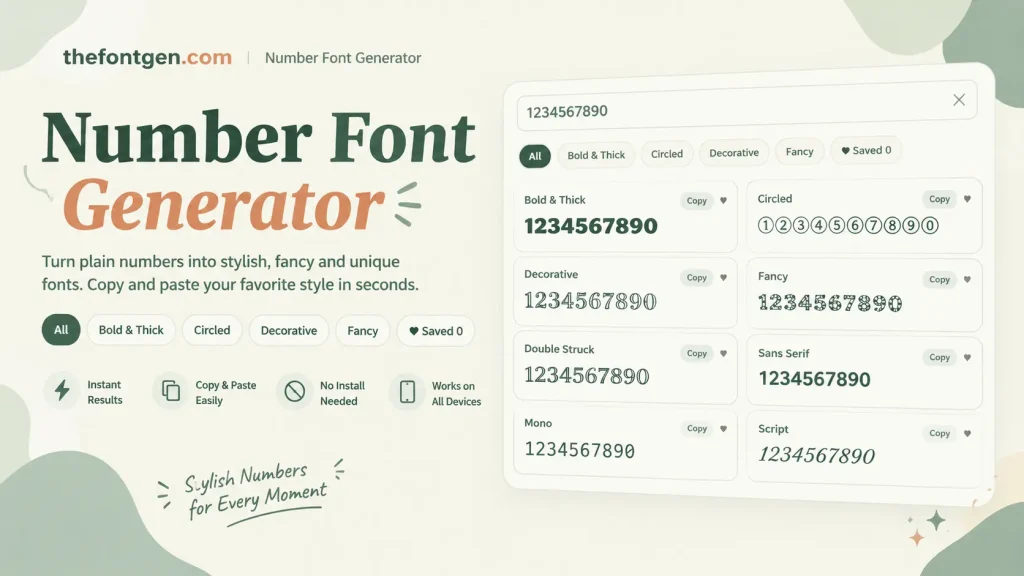
This number font generator gives you 34 real digit sets in four groups, including 16 world script sets that most number pages never offer. The first screen shows 84 cards from those sets, and Load more adds 24 more at a time by pairing each set with new frames and marks. Every card shows your own digits converted, with a label that names the exact set used.
The 34 sets cover bold and math digits, enclosed shapes, small and flipped digits, and Roman value conversion for numbers from 1 to 3999. Sixteen combining marks, 34 wrap frames and 19 joiners then extend those sets into a long stream of decorated cards, and each card name in this number font generator tells you exactly which set and decoration it uses.
Type a year, a price, a score or a full sentence and only the numbers change into stylish numbers. Your letters, spaces and symbols stay normal, so a line like Level 12 becomes Level 𝟏𝟐 while the word Level keeps its normal look. It works like a letter styling tool does for letters, except this time the digits get the style.
What Is a Number Font?
The output of a number font generator is a set of special Unicode characters that look like styled digits. When you type 2026 and pick the Bold set, the tool swaps each normal digit for its matching bold character, and you get 𝟐𝟎𝟐𝟔. The result is still normal text, not an image and not a font file.
Because of this, numeric fonts paste cleanly into apps that never let you install fonts. Instagram, WhatsApp, Discord and most games accept Unicode text in names and bios, so the styled digits travel with your paste. The same trick powers most copy and paste tools, including a normal font generator for letters, since every result is just numbers in different Unicode styles.
The digits you type every day are called Arabic numerals, even though they came to Europe through Arabic scholars from an older Indian system. Real printed number lettering is different, because a designer picks a typeface with lining figures for prices or old style figures for book text. This page is about the copy and paste kind, the kind you can use in a bio in ten seconds.
How to Use the Number Font Generator
Step 1: Type or paste your text in the box at the top. You can enter up to 600 characters, and the counter next to the box shows how many characters you have typed. A date like 12/05/2026, a price like $50 or a full line like Top 10 songs of 2026 all work.
Step 2: Look at the first 84 style cards, or tap a filter chip to narrow the list. The chips are All, Bold and Math, Enclosed, World digits, Small and Flip, and Saved for your favorites. Each card in this number font generator shows your own text converted, plus a short label that names the digit set and any decoration used.
Step 3: Tap the card you like and the converted text is copied at once. You do not need a separate copy button, and a small message confirms what was copied. On a keyboard you can also press Enter or Space on a focused card to copy it.
Step 4: Paste the result where you want it and check how it looks there. Most apps show these digits correctly, but a quick check matters because a few fields block special characters. If the field rejects the style, paste it in a display name instead and keep the plain version in the strict field.
Step 5: Tap the heart on any card to save that style under the Saved chip for later. Press Load more styles whenever you want 24 more cards from the number font generator, because the tool keeps pairing the digit sets with new decorations. This number font generator asks for no sign up and nothing to install at any step.
The ✕ button clears your text in one tap. Until you type again, the cards show the sample words number font 123, so the styles never sit blank while you think
Number Font Styles in This Tool
This number font generator holds 34 sets in four groups, and the filter chips use the same groups. Knowing the groups helps you find the right style in this number font generator faster, because each group suits a different job. The examples below all show the year 2026 so you can compare the sets fairly.
Not all 34 sets work the same way, and the difference matters. The Math and World groups are true decimal digit sets with a real character for every digit, the Enclosed group wraps each digit in a shape, the small sets shrink, raise, lower or flip digits, and Roman converts the whole value instead of styling digit by digit.
Bold and Math Number Styles
This group holds Bold 𝟐𝟎𝟐𝟔, Double-struck 𝟐𝟎𝟐𝟔, Sans 𝟤𝟢𝟤𝟨, Sans bold 𝟮𝟬𝟮𝟲, Mono 𝟸𝟶𝟸𝟼 and Fullwidth 2026. The first five sets come from the Mathematical Alphanumeric Symbols block of Unicode, while Fullwidth digits live in the Halfwidth and Fullwidth Forms block, which is why they keep the wide spacing of East Asian text. The tool still files Fullwidth in this group because its clean plain shape does the same job as the mathematical number fonts, which are usually the most reliable fancy number fonts for bios, names and captions.
Mono deserves a special note because these monospace numbers all take the same width, like the tabular figures in a printed price list. For codes, scores and prices that should line up in a neat column, Mono is the safer pick. Fullwidth numbers are wider digits with more space around them, which gives posts a soft stretched look that pairs well with aesthetic layouts.
Enclosed Number Styles
Enclosed numbers are digit sets that put each character inside a shape. Circled gives ②⓪②⑥, Filled circle gives ❷⓿❷❻, the dark style most people mean by black bubble numbers, and Double circle, Circled sans and Filled sans change the ring style and the weight. Parenthesized numbers come from the Parenthesis set as ⑵0⑵⑹, and Full stop gives ⒉0⒉⒍, which read like small labels under each number.
Two honest details matter here. Parenthesis and Full stop have no special character for zero, so this tool shows zero in fullwidth form, which is why the 0 in ⑵0⑵⑹ looks different from its neighbors. Keycap numbers are also in this group, and they are the closest thing here to number emojis, since a keycap digit like 2️⃣ is built from three characters and a four digit year costs twelve characters against a strict limit.
World Digits From Other Scripts
The World digits group holds the real digit systems of other languages, such as Arabic-Indic ٢٠٢٦, Devanagari २०२६ and Thai ๒๐๒๖. The group also covers Persian, Bengali, Gurmukhi, Gujarati, Tamil, Telugu, Kannada, Malayalam, Lao, Tibetan, Myanmar, Khmer and Mongolian digits. These are not decorations, they are how millions of people write numbers every day.
Pick a world set in this number font generator when your audience actually reads that script, or when you want a respectful cultural touch in a greeting or a festival post. For example, a Diwali greeting with the year in Devanagari digits looks thoughtful to Hindi readers. Randomly mixing scripts that you cannot read is usually a bad idea, because a wrong digit can change a date or a price.
Small, Superscript, Subscript, Flip and Roman Styles
Superscript numbers are the raised small digits like ²⁰²⁶, and subscript numbers are the lowered ones like ₂₀₂₆. Superscript suits exponents, footnote marks and small level tags, while subscript is famous from chemistry, where H₂O needs the small lowered 2. Both sets in this number font generator change every digit from 0 to 9.
The Roman set works differently from every other set in this number font generator, because it converts the value of your number, not its digits. Type 2026 and you get ⅯⅯⅩⅩⅤⅠ, and type 49 and you get ⅩⅬⅨ. It works for values from 1 to 3999, and 0 or a bigger value stays in plain digits because Roman numerals have no zero.
The Upside down set builds flipped numbers from lookalike characters and also reverses the order, so 2026 becomes 9ᘔ0ᘔ. Read it by turning your screen around, and treat it as a playful cousin of mirror numbers rather than an exact flip. It is a fun trick for jokes and puzzle posts, and the fuller version of this idea is flipped text, which turns whole words upside down.
Numbers 0 to 9 in Different Fonts
Reading one full row is the fastest way to compare different fonts for numbers and learn a set. The table below is a comparison of number styles taken from the exact output of this number font generator, so what you see here is what the cards will give you. Sets that are not in the table follow the same pattern and sit under their filter chip in the tool.
| Style | 0 | 1 | 2 | 3 | 4 | 5 | 6 | 7 | 8 | 9 |
|---|---|---|---|---|---|---|---|---|---|---|
| Bold | 𝟎 | 𝟏 | 𝟐 | 𝟑 | 𝟒 | 𝟓 | 𝟔 | 𝟕 | 𝟖 | 𝟗 |
| Double-struck | 𝟘 | 𝟙 | 𝟚 | 𝟛 | 𝟜 | 𝟝 | 𝟞 | 𝟟 | 𝟠 | 𝟡 |
| Sans | 𝟢 | 𝟣 | 𝟤 | 𝟥 | 𝟦 | 𝟧 | 𝟨 | 𝟩 | 𝟪 | 𝟫 |
| Sans bold | 𝟬 | 𝟭 | 𝟮 | 𝟯 | 𝟰 | 𝟱 | 𝟲 | 𝟳 | 𝟴 | 𝟵 |
| Mono | 𝟶 | 𝟷 | 𝟸 | 𝟹 | 𝟺 | 𝟻 | 𝟼 | 𝟽 | 𝟾 | 𝟿 |
| Fullwidth | 0 | 1 | 2 | 3 | 4 | 5 | 6 | 7 | 8 | 9 |
| Circled | ⓪ | ① | ② | ③ | ④ | ⑤ | ⑥ | ⑦ | ⑧ | ⑨ |
| Filled circle | ⓿ | ❶ | ❷ | ❸ | ❹ | ❺ | ❻ | ❼ | ❽ | ❾ |
| Superscript | ⁰ | ¹ | ² | ³ | ⁴ | ⁵ | ⁶ | ⁷ | ⁸ | ⁹ |
| Subscript | ₀ | ₁ | ₂ | ₃ | ₄ | ₅ | ₆ | ₇ | ₈ | ₉ |
| Arabic-Indic | ٠ | ١ | ٢ | ٣ | ٤ | ٥ | ٦ | ٧ | ٨ | ٩ |
| Devanagari | ० | १ | २ | ३ | ४ | ५ | ६ | ७ | ८ | ९ |
Every set in this table of numbers in different fonts covers all ten digits, including zero, with a real character from its own set. That full coverage is what makes a set safe for years, prices and phone style displays, where a missing zero would break the meaning. Sets outside the table can behave differently, which is why the Parenthesis zero, the Roman value rule and the flip lookalikes are explained in their own sections above.
Decorations Turn 34 Sets Into a Long Stream of Styles
On top of each set, this number font generator holds 16 combining marks, 34 frames and 19 joiners. A combining mark adds a line or shape to each digit, so Bold with underline turns 123 into 𝟏̲𝟐̲𝟑̲. Other marks add a strikethrough, a slash, an overline, a ring, dots below, a box or a small cross.
A frame wraps the whole number, like ☾ ①②③ ☽, and a joiner sits between digits, like a heart or a star between each character. In theory the parts combine into 11,900 mixes for each digit set, counted in layers: the plain set, one part on its own, pairs of parts, and all three parts together.
What you actually see is a little smaller than that theory. The tool skips any mix whose sample result already appeared, and Keycap cards never take a combining mark, so the stream shows distinct cards rather than every raw combination. Load more works through the mixes in a fixed order, and if the planned list ever runs out it can keep creating new random mixes, so in practice the stream does not run dry.
The label on each card in this number font generator always tells you the recipe, such as Circled with a moon frame or Mono with underline. This matters because a decoration can change how readable a number stays at small sizes. A clean Bold card usually beats a heavily framed card inside a username, while the framed card wins on a poster style caption.
Why Cursive and Gothic Number Fonts Do Not Exist
Many people search for cursive numbers, but Unicode simply has no cursive digit set. The script and cursive blocks cover letters only, and the same is true for Gothic Fraktur and for plain italic digits. Any number font generator that shows you cursive digits has quietly swapped in a different set, often bold digits with a script label.
You will not find a Cursive set or a Gothic set in this tool, because inventing one would mean lying about what the characters are. If another tool promises cursive digits, check what the characters really are before you trust the label.
The practical fix is pairing. Style your words with cursive letters and pick a soft style from this number font generator, like Sans or Double-struck, which sits softly next to script letters. For a Gothic look, pair Fraktur letters with Bold or Mono digits, the closest honest match in weight.
Where to Use Number Fonts
Instagram Bios, Captions and Highlights
Styled numbers can highlight a year, milestone, or follower count in an Instagram bio. Class of ②⓪②⑥, a follower milestone in Sans bold, or a sale line like Flat 𝟓𝟎% Off in a caption all read clearly and look planned. Keep the rest of the bio in a normal style so the styled number stands out instead of fighting with everything.
TikTok, Facebook, YouTube and X follow the same pattern. One styled number in a post is a highlight, while a full paragraph of styled digits is hard work for your reader. If you decorate your name letters too, fancy text styles cover the letter side of the same idea.
Usernames, Game IDs and Nicknames
When people look for stylish numbers for usernames, a matching styled ending helps when the first choice is taken, and it makes a number nickname easy to spot in a chat list. Player𝟏𝟐 or Queen𝟕 show how an ending from a number font generator looks cleaner than random extra letters. Bold, Sans bold and Mono stay readable at the tiny sizes games use, so they are the safer first picks in games like Free Fire, PUBG and Mobile Legends, where players style their display names and clan tags.
Test the exact field before you commit, because games and apps validate names differently. Some accept Unicode digits in a display name but reject them in an account ID, and a few strip special characters without warning. If the ID field refuses the style, keep the ID plain and use the styled version as your display name.
Lists, Rankings and Discord Channels
Circled numbers were made for lists. Steps like ① write your text, ② pick a style and ③ paste it stay clear even without line breaks, which is why circled numbers in Discord channels and role lists work so well. Filled circle reads better on dark themes, while plain Circled suits light backgrounds.
Rankings and countdowns work the same way. A Top 10 post with circled markers for each rank looks organized in seconds, and a teacher or a community admin can copy the pattern for every new list, while the same markers tidy up long forum threads, replies and signatures. This is also where the small sets shine, because one circled digit replaces a plain number and a dot.
Dates, Prices, Scores and Phone Numbers
Dates and years are the most common job for a number text generator, from birthday posts to seasonal greetings. Styled years can add emphasis to New Year and Christmas greetings, and Sans bold prices pull the eye in a sale post while Mono keeps live scores and tables aligned. In each case the punctuation stays untouched, so 12/05/2026 becomes 𝟏𝟐/𝟎𝟓/𝟐𝟎𝟐𝟔 in Bold with its slashes kept, and $50 keeps its sign.
Use a phone number font with more care than a styled year or price, because people need to tap, copy and save a real number. Styling your number in a bio can look neat, like Call me: 𝟎𝟑𝟎𝟎 𝟏𝟐𝟑 𝟒𝟓𝟔𝟕, but some phones cannot tap to call a styled number, and copy tools may treat the digits as foreign characters. If people must call or message you, keep a plain version next to the styled one so nobody has to guess.
Which Number Font Should You Choose?
Pick bold numbers when the number must be read fast, like a price, a score or a discount, the same reason bold text carries a headline. These sets keep thick clear shapes on small screens and old phones. For a cool number font, most people end up with Bold or Sans bold, like a Sans bold 𝟐𝟎𝟐𝟔 on a final score post.
Pick Circled or Filled circle for steps, rankings and short labels, and pick Mono for codes or values that should align. Pick double struck numbers when you want a math feel, and Fullwidth when your layout has room for a wide soft look. For cute number fonts, pair Circled digits with a heart frame, or set the name with cute text and match it with bubble letters, like ♡ ②⓪①② ♡ under a birthday name.
Pick Superscript for footnote marks and small raised tags, and Subscript for science style labels. Save heavy frames and joiners for captions and posters, not for names. When two styles both look good, choose the style from your number font generator that a stranger can read in one glance, because your number usually carries real information.
When Number Fonts Do Not Work
Sometimes a styled digit shows as an empty box or a question mark. That means the device or app showing it has no drawing for that Unicode character, which happens more on old phones and old systems. The paste itself is not broken, so switching to a Math set like Bold or Mono usually fixes the display.
Screen readers can also struggle with styled digits. Some read a bold 𝟓 as five, others spell out the character name or skip it, which can confuse a listener. Keep numbers that people truly need, like prices in a shop post or a contact number, in plain digits and save the styling for decoration.
Never use number font generator output for passwords, PIN codes or one time codes, because those fields expect exact normal characters and will reject or misread them. For print work like jerseys, shop boards and house numbers, you need a real font file and proper number lettering, because pasted Unicode text cannot be shaped or printed like artwork. Unicode number font generator text cannot be resized or recolored on its own inside plain text.
Tips to Keep Styled Numbers Readable
Use one style from the number font generator per name, bio or post, and let the rest of the text stay plain. Mixing Bold years, circled steps and keycap counts in one block makes the reader work hard. One stylish number looks like a design, while five mixed styles look like an accident.
Count your characters before you paste into a tight field. Most styled digits count as one character, but some styles cost more than they show, and the Keycap note in the Enclosed section explains the biggest case. Checking the count first saves you from silent cuts in names and bios with strict limits.
Test on a second device when the number really matters, like an event date in a public post. What renders on your new phone may show as boxes on an older one. If the test fails, switch to Bold or Mono and test again.
Read the result from your number font generator once as a stranger would. In some sets a styled 0 can look like the letter O and a styled 1 can look like the letter l, which matters in codes, tags and short IDs that someone may copy by hand. Mono usually keeps those shapes easiest to tell apart.
Frequently Asked Questions
Conclusion
A good number font does one simple job well, it makes your digits match the care you gave your words. This tool keeps that job honest with 34 real digit sets, clear labels and decorations you can count. Pick one set for the job in front of you and keep the rest of your text plain, and most numbers you meet will be covered.
Start with the year or number you use most, try it in three sets from this number font generator, and save your winner with the heart button. Your next bio, ranking list or sale post can carry a number that looks chosen, not forgotten.