
Instagram Fonts Generator: Copy and Paste 396+ Styles for Bio, Captions and Names
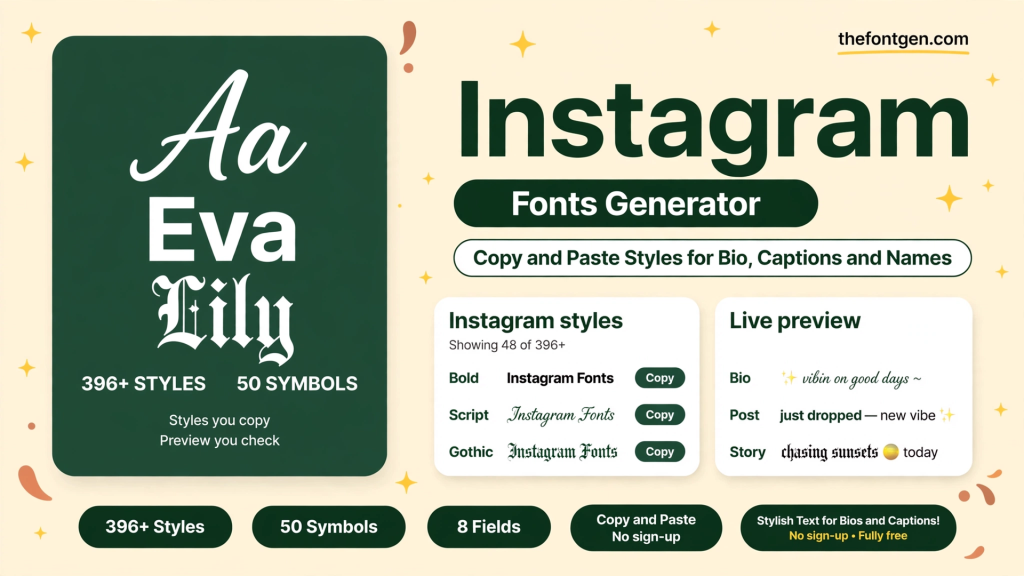
Instagram gives you no font picker for a bio or a caption, so most styled profiles you see come from a generator. This Instagram fonts generator turns plain text into styled text that you can copy and paste into your bio, your captions, your name and your comments. The tool starts with 396 styles, and it shows 48 styles first so you can pick fast without scrolling through a long list.
The tool is free, and it asks for no sign up and no Instagram password. If you want one place to start on this site, the main font tool on the homepage covers every style family in one place. For example, the name Maya in Sans looks like this: 𝖬𝖺𝗒𝖺
What Are Instagram Fonts
Instagram fonts are not real fonts that you install on your phone. They are plain text letters that have been swapped for lookalike letters from Unicode, so the styled look travels with the text when you paste it. A font changes how the same letter is drawn, but these styled letters are different characters that only look like your letters.
Why They Are Not Real Fonts
A real font is a file that tells a phone how to draw a letter, and Instagram does not let you upload such a file or pick a font for your bio. A generator does something else, and it swaps each letter you type for a different Unicode character that already looks bold, script or decorative. For example, the name Ava in Script looks like this: 𝒜𝓋𝒶.
Where the Letters Come From
Many of the styled letters in this tool come from the Mathematical Alphanumeric Symbols block in Unicode, which runs from U+1D400 to U+1D7FF, and mathematicians needed those bold, italic, script and double struck letters to mean different things in a formula. Not every decorative style comes from that block, because fullwidth letters come from East Asian compatibility, circled and squared letters come from enclosed alphanumerics, small caps use phonetic letters, and strikethrough and underline add a combining mark to a plain letter. In Double Struck, Liam reads as 𝕃𝕚𝕒𝕞.
How to Use This Instagram Fonts Generator
You can finish the whole task with these Instagram fonts in less than a minute, and you do not need an account for any step. The steps below follow the tool on this page in the same order that you will see it. The tool works in your browser, and it never asks for your Instagram login.
Pick Your Field First
The tool has eight field tabs at the top, and they are Name, Username, Bio, Highlight, Caption, Comments, Story and Page. The tool caps the Name tab at 30, the Username tab at 30, the Bio tab at 150, the Highlight tab at 15, the Caption, Comments and Story tabs at 2,200, and the Page tab at 150, and those are the tool’s own caps. Try Zara in Gothic: ℨ𝔞𝔯𝔞.
Type Your Text
Type your words in the box under the field tabs, and every style on the page updates at once. The box accepts up to 2,200 characters on the Caption tab, which matches the caption limit that Instagram uses, and it has no counter on screen. For example, the name Aisha in Script with a heart on each side looks like this: ♥ 𝒜𝒾𝓈𝒽𝒶 ♥.
Choose a Style
The tool shows 48 styles first, and each card shows your text in that style with a star button for favorites. Tap Load More Styles to add 48 more each time, and after the first 396 styles the tool builds new styles from its own combinations. If you want a slanted look, a tilted letter maker shows italic styles that stay clear at a small size; for example, the words Eid Mubarak in Bold look like this: 𝐄𝐢𝐝 𝐌𝐮𝐛𝐚𝐫𝐚𝐤.
Search and Category Pills
Type a word in the search box to filter the list by style name and category, and tap a category pill to see only that group. The pills are All, Popular, New, Bold, Fancy, Cursive, Aesthetic, Stylish, Cute, Cool, Gaming, Vintage, Symbols, Bubble, Minimal, Retro, Elegant, Playful and Favorites. For example, the name Ella in Bold looks like this: 𝐄𝐥𝐥𝐚.
Shuffle, Favorites and Clear
Tap Shuffle Font to shuffle the styles and apply a random font, and tap the star on any card to save that style to your favorites. The Favorites pill shows only the styles you starred, and Clear resets the tool to the start. For example, the name Nora in Monospace looks like this: 𝙽𝚘𝚛𝚊.
Add a Symbol or Border
The Symbols and Borders panel sits under the text box, and it holds 50 choices including None. The other 49 choices add a symbol or a border around your styled text, and the panel tells you which field the symbol will apply to. For example, the name Luna in Script with a star on each side looks like this: ★ ℒ𝓊𝓃𝒶 ★.
Copy and Paste
Copying your result is simple: tap a style card to select it, then tap Copy Result. Each card also has its own copy button, so you can copy one style without changing the selected result. The tool shows a Copied message after a successful copy, and it falls back to a plain copy method if your browser blocks the main one; for example, the words Travel Diaries in Monospace look like this: 𝚃𝚛𝚊𝚟𝚎𝚕 𝙳𝚒𝚊𝚛𝚒𝚎𝚜.
Check the Live Preview
The sample profile uses the name Sophia Carter and the username sophiacarter, with 128 posts, 8,204 followers and 312 following. The preview has six views, and they are bio, post, story, highlights, comments and page, and you can switch it between Light and Dark. For example, the words Sunset Walk in Bold Italic look like this: 𝑺𝒖𝒏𝒔𝒆𝒕 𝑾𝒂𝒍𝒌.
Instagram Fonts for Bio
A bio gives you very little room, so one styled line can do more than a full styled paragraph. A cute letter maker can show you soft styles for that line, and the rest of the bio should stay in plain text. A reader can then find your role and your contact details without working through styled letters.
A Short Bio That Still Reads Well
Write your bio in two or three short lines, and style only one of them. Put your role or your topic on a plain line, and keep any link or contact detail in plain text too. For example, the words Coffee First in Script look like this: 𝒞ℴ𝒻𝒻ℯℯ ℱ𝒾𝓇𝓈𝓉.
Bio Limits to Respect
Instagram’s own published limit for a bio is 150 characters, and the tool caps the Bio tab at the same number. A styled letter can take more room than a plain letter in the input box, so a bio that looks short in plain words can still hit the limit after styling. Here is Morning Light in Fullwidth: Morning Light.
Instagram Fonts for Captions
A caption can run to 2,200 characters on Instagram, and most readers see only the first part before Instagram hides the rest behind more. Write the caption in plain words first, then style the opening line, because the hook is the part a scrolling reader actually sees.
Style the Hook, Keep the Body Plain
Only about the first 125 characters show before Instagram adds more, and that figure is reported rather than published, so it can vary by screen. Put the most important words in that opening, and style the hook so it stands out from the plain body below it. Fresh Start in Bold reads as 𝐅𝐫𝐞𝐬𝐡 𝐒𝐭𝐚𝐫𝐭.
Captions for Reels and Stories
Style the first line of a Reel caption, and keep the call to action in plain text so a reader can act on it without decoding styled letters. The same styles also work for a YouTube title, and video title styles can show you title styles for that platform. Beach Day in Monospace reads as 𝙱𝚎𝚊𝚌𝚑 𝙳𝚊𝚢.
Instagram Fonts for Your Name
Your name and your username are two different fields, and they follow different rules. The name field is the display name that sits above your bio, and you can style it with this tool. The username is the handle after the at sign, and you cannot style it at all.
Display Name and Username Are Not the Same
The tool caps the Username tab at 30, and guides usually report the same 30 for Instagram, but Instagram does not publish that figure. The display name is different, because it sits above your bio and takes spaces and styled letters, and the tool caps it at 30, while guides disagree on Instagram’s own figure, so check the app before you save. Hina in Small Caps reads as ʜɪɴᴀ.
Keep Your Name Searchable
Most guides say Instagram search looks at the Name field, so a styled display name can hide you from the very people who look for you. If people need to find you by name, keep the name in plain text or style only one word in it. Zain in Bold reads as 𝐙𝐚𝐢𝐧.
Instagram Fonts Bold
Bold is the most useful style in this tool, because it is clear, it renders on most phones, and it works for a name, a hook or a short bio line. This Instagram fonts bold style uses the Mathematical Bold alphabet, and it styles both letters and digits. A bold letter maker can give you the same heavy look for a short name when you want one clear line to stand out.
When Bold Works Best
Bold works best for a name, a hook and a short phrase that you want a reader to notice first. If you want a softer look for the same words, a fancy letter maker can show you decorated styles that suit a lighter tone. For example, the words Golden Hour in Bold Sans look like this: 𝗚𝗼𝗹𝗱𝗲𝗻 𝗛𝗼𝘂𝗿.
Bold Digits Are Styled Too
Bold styles digits as well as letters, so a year or a number keeps the same look as the words around it. Italic, Script and Gothic leave digits in plain text, so a date in those styles will show plain digits next to styled letters. For example, the words Batch 2026 in Bold look like this: 𝐁𝐚𝐭𝐜𝐡 𝟐𝟎𝟐𝟔.
Instagram Fonts Gothic
Gothic is a dark, old style that suits a short name or a single word, and it gives a profile a strong mood in very few letters. This Instagram fonts gothic style uses the Fraktur alphabet, and it is one of the oldest looking styles in the tool. Do not use Gothic for a long bio or a long caption, because the letters are hard to read in a block.
Gothic for a Darker Look
Gothic suits gaming, music, art and dark aesthetic profiles, where the mood is part of the message. If you want a Gothic look for a tattoo style bio, a gothic letter maker can show you dark ink styles that match the same mood. For example, the words Night Owl in Gothic look like this: 𝔑𝔦𝔤𝔥𝔱 𝔒𝔴𝔩.
Readability Comes First
Gothic letters are harder to read than Bold letters, and some Gothic letters look very different from their plain form. Test a Gothic word on a phone before you save it, and ask yourself if you could read it fast. For example, the words Dark Rose in Gothic look like this: 𝔇𝔞𝔯𝔨 ℜ𝔬𝔰𝔢.
Cursive and Script Instagram Fonts
Script is the flowing, handwritten style that most people mean when they say cursive, and it suits a name or a short romantic line. The tool has Script and Bold Script, and both keep the same flowing shape while Bold Script adds weight. Use Script for one or two words, and do not use it for a whole caption, because a long script block is hard to follow on a small screen.
Script for Names and Short Lines
Script works best for a first name, a short phrase and a signature style line. If you want more flowing styles for a signature look, a script letter maker can show you handwritten styles that suit the same kind of bio. For example, the name Sara in Script looks like this: 𝒮𝒶𝓇𝒶.
Script Letters With Gaps
Some Script letters do not sit in the main Unicode block, so the tool uses special characters for them. The capital E in Script is ℰ, the capital B is ℬ, and the capital L is ℒ, because those letters were already encoded elsewhere. For example, the name Elena in Script looks like this: ℰ𝓁ℯ𝓃𝒶.
Stylish Instagram Fonts
Stylish is a broad word, and in this tool it covers the styles that look modern without being hard to read. This Instagram fonts stylish approach uses one stylish line in a bio or a caption, and it keeps the rest of the text plain so the style keeps its effect. A stylish line should feel like a choice, not like a costume for the whole profile.
Stylish Without Overdoing It
Try the same words in two or three styles, and pick the one you can read fastest at a small size. Match the style to the mood of the profile, because a soft script suits a calm bio and a heavy bold suits a loud announcement. City Lights in Fullwidth reads as City Lights.
Holiday and Christmas Styles
You can style a short Christmas wish for a caption or a Story, and keep the date and the details in plain text. A festive letter maker can show you Christmas styles that suit a seasonal post without changing your whole profile. For example, the words Merry Christmas in Script look like this: ℳℯ𝓇𝓇𝓎 𝒞𝒽𝓇𝒾𝓈𝓉𝓂𝒶𝓈.
Aesthetic Styles in This Tool
Aesthetic styles in this tool include Fullwidth, Small Caps and Vaporwave, and they give a clean, spaced look that suits minimal profiles. Small Caps uses small capital letters for a quiet tone, and bubble text styles can show you round styles for a playful line. Chai Time in Small Caps reads as ᴄʜᴀɪ ᴛɪᴍᴇ.
Instagram Fonts Symbols
Symbols add a frame around your Instagram fonts, and they can turn a plain line into a finished bio line. This Instagram fonts symbols panel holds 50 choices including None, so you can pick a heart, a star, a crown, a flower or a simple border. The symbol sits on both sides of your styled text, with a space on each side, and you should use one symbol at a time.
Symbols and Borders in the Tool
Tap a symbol in the panel to frame your Instagram fonts, and the tool adds it to the field you picked. The panel shows which field the symbol will apply to, so a symbol you pick for your Bio will not change your Caption. For example, the name Ivy in Script with a heart on each side looks like this: ♥ ℐ𝓋𝓎 ♥.
Symbols That Travel Well
A simple symbol such as a heart, a star or a dot renders on most phones, while a rare symbol can turn into a box on an older phone. Test the symbol in the preview, and test it again in Instagram after you paste. For example, the name Mia in Bold with a heart on each side looks like this: ♥ 𝐌𝐢𝐚 ♥.
Where Instagram Fonts Work and Where They Do Not
Instagram fonts work in most places where Instagram accepts plain text, and they fail in the places where Instagram controls the characters. A bio, a name, a caption, a comment, a Story line and a highlight name all accept styled text, because they are free text fields. A username does not accept it, because a username follows a strict character rule.
Fields That Accept Styled Text
A bio accepts styled text, and a caption accepts it too, because both are free text fields with no font picker. A Story line also accepts styled text, and snapchat story styles can show you short styles for a Story on another app. Snow Day in Bold reads as 𝐒𝐧𝐨𝐰 𝐃𝐚𝐲.
The Username Rule
A username can use only letters, numbers, periods and underscores, and it cannot use styled letters, spaces or symbols. That rule comes from Instagram, not from this tool, and no generator can change it. For example, the username daniyal_92 uses only plain letters, numbers and an underscore.
What Instagram Itself Uses
Instagram Sans is the brand typeface, launched in May 2022 for brand and marketing work, and it is not available for download, so it is not the font you see in a bio or a caption. The words you type render in your phone system font, SF Pro on iPhone and Roboto on most Android phones, because user text is plain text that the device draws. Stories are the one place with a built in picker, with Classic, Modern, Neon, Typewriter and Strong, and Instagram Sans in newer versions; for example, the name Willow in Bold looks like this: 𝐖𝐢𝐥𝐥𝐨𝐰.
Why Some Instagram Fonts Show as Boxes
A box appears when a phone does not have the glyph for a character, so it shows an empty box instead of the letter. That happens most often with rare alphabets, with combining marks and with styles that stack many marks on one letter. Bold, Italic and Monospace render on most phones, while Gothic, Double Struck and Glitch can fail on older phones.
Compatibility in Plain Words
Bold, Italic and Monospace are the safest group, and they work on most phones, but no style is guaranteed on every phone. Script, Gothic, Double Struck, Sans Bold, Bubble, Fullwidth and Small Caps sit in the middle, while Strikethrough and Glitch are the riskiest group because they use combining marks that some phones clip or drop. Raven in Strikethrough reads as R̶a̶v̶e̶n̶.
Test Before You Save
Paste the styled text into Instagram, save it, and then look at your profile on a second phone if you can. If any letter shows as a box, pick a safer style for that word. For example, the name Atlas in Bold looks like this: 𝐀𝐭𝐥𝐚𝐬.
Screen Readers and Search: The Honest Limits
Instagram fonts have a real cost, and a good article should say so before you use them. A screen reader reads the Unicode name of each character, not the look of the letter, so a styled word can be read letter by letter or skipped. Search has the same problem, because a styled letter is a different character from the plain letter it replaces.
How a Screen Reader Reads Styled Text
A screen reader can read a bold A as mathematical bold capital A, and a whole styled bio as a long list of character names, but that behaviour can vary by device and software, so VoiceOver and TalkBack may not read the same word the same way. Keep your name, your role and your contact details in plain text, and style only a decorative word. Omar in Bold reads as 𝐎𝐦𝐚𝐫.
Search Will Not Match Styled Letters
A plain A is U+0041, and a bold A is U+1D400, so search treats them as different characters. A person who types your name in plain letters will not find a styled name that uses bold letters, because the two strings do not match. Good Vibes Only in Bold reads as 𝐆𝐨𝐨𝐝 𝐕𝐢𝐛𝐞𝐬 𝐎𝐧𝐥𝐲.
Common Mistakes to Avoid
Most mistakes with Instagram fonts come from using too much style, not from picking the wrong style. A short styled line can help a profile, while a long styled block can hurt it. Read your profile as a visitor would, and ask if you can find the facts in a second.
Styling the Whole Bio
A whole bio in Script or Gothic looks decorative at first, and it becomes hard to read after a few words. A visitor who cannot read the bio will not learn what you do, and a screen reader user will hear a long list of character names. Book Lover in Script reads as ℬℴℴ𝓀 ℒℴ𝓋ℯ𝓇.
Styling Your Username
Some guides tell readers to paste styled text into the username field, and that advice is wrong. A styled username will be refused, and no generator can change that rule. For example, the username sara_2026 uses only plain letters, numbers and an underscore.
Forgetting the Limits
A highlight name stops at 15 characters in this tool, and a name stops at 30, so a long styled phrase can be cut off. A bio stops at 150 on Instagram and in this tool, and a caption stops at 2,200 on Instagram, so a long styled caption can hit the limit sooner than you expect. Wanderlust in Small Caps reads as ᴡᴀɴᴅᴇʀᴌᴜsᴛ.
Frequently Asked Questions
Conclusion
Instagram fonts can make a profile feel personal, and they work best when you use them with restraint. The tool on this page gives you 396 styles to start with, a live preview for each field, and a copy button that works without a sign up. For example, the name Noor in Italic looks like this: 𝑁𝑜𝑜𝑟.