
TikTok Font Generator: Copy and Paste 500+ Styles for Nicknames, Bios and Captions
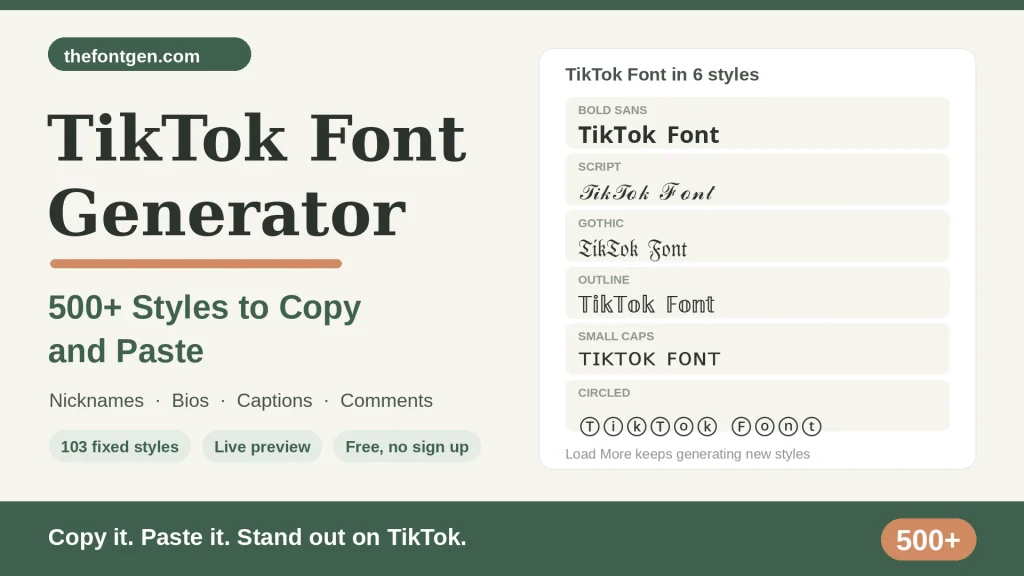
This tiktok font generator gives you 103 fixed styles for the four places you write on TikTok, and it keeps generating new combinations after that, so the styles you can make in one visit pass 500 as you keep clicking Load More. You pick your field first, Nickname, Bio, Caption or Comment, and each field keeps its own text, its own style and its own counter.
The tool shows your result inside a live TikTok phone preview before you copy it, in Profile, Video and Comments views, with a Light and Dark toggle. For example, the name Dance Queen in Script looks like this: 𝒟𝒶𝓃𝒸ℯ 𝒬𝓊ℯℯ𝓃.
The tool is free, and it never asks for your TikTok password or a sign up. It runs in your browser on a phone or a computer, and your favorite styles stay saved on your own device. If you want one place for every platform, the video text maker on the homepage styles text for all of them.
What Is a TikTok Font
A tiktok font is a styled version of your normal letters that you paste into TikTok, and it is not a setting inside the app. TikTok has no font picker for your name, bio, captions or comments, so the styled look has to come from outside the app.
A tiktok text generator does that job in your browser. You type plain words, the tool swaps the letters for styled characters, and you paste the result where you want it. For example, the tool default text TikTok Font in Bold Sans looks like this: 𝗧𝗶𝗸𝗧𝗼𝗸 𝗙𝗼𝗻𝘁.
People also call this kind of tool a tiktok font changer, because it changes how your text looks without changing what it says. The words stay the same, and only the characters change. That is why the same pasted text usually shows on other phones and on the TikTok website too.
How TikTok Fonts Work
TikTok fonts work because they are Unicode text. Unicode is the shared character set that phones and computers use to show letters, symbols and emoji.
Many styled letters come from the Mathematical Alphanumeric Symbols block of Unicode. That block holds bold, italic, script and double struck forms of the same letters, so one word can appear in many looks while it stays normal text underneath. A single tiktok font style is usually built from one such set of letters.
Other styles come from other parts of Unicode. Circled letters come from the enclosed alphanumerics, wide letters come from fullwidth forms, and underline or strikethrough styles add a small combining mark under or through a plain letter.
A real font is a file that tells a device how to draw a letter, and this tool does not give you such a file. It gives you characters you can paste, which is why no install, no app and no download are needed. For example, the name Melody in Circled looks like this: Ⓜⓔⓛⓞⓓⓨ, and every letter in it is a normal character your phone already knows.
How to Use the TikTok Font Generator
This free tiktok font generator is built around the four fields TikTok gives you, so the How to Use steps start with the field, not with the style. Each field has its own limit built into the tool, and the counter watches your styled result as you type.
Pick Your Field First
Tap the tab for the place you are writing for, Nickname, Bio, Caption or Comment. The tab you pick also decides which tiktok font limit the counter follows for that field. Each tab remembers its own text and style, so you can prepare a nickname and a bio in one visit without losing either one.
For example, if you are setting up a new profile, start on the Nickname tab, finish your name, then move to the Bio tab. Your nickname result stays saved in its tab while you work on the bio.
Type Your Text or Use an Idea
Type your words in the box, or tap one of the six Ideas chips, Gaming, Business, Fashion, Aesthetic, Funny or Fitness. Each chip fills in a ready made text that fits the field you picked, and tapping again cycles to another idea in the same group. You still end up with styled text, just from a ready made starting line instead of a blank box.
For example, a creator who posts workout clips can tap the Fitness idea on the Caption tab and then restyle the suggested line in one tap. You can also tap any emoji in the emoji row to insert it at your cursor.
Pick a Style and a Decoration
The first 24 styles appear at once, and Load More adds 12 more cards at a time. The 103 fixed styles come first, and after them Load More keeps creating new combinations of a base style with marks, separators and borders, so the list does not run out.
You can narrow the list with the eight category chips, All, Favorites, Bold, Fancy, Aesthetic, Cute, Symbols and Mix. You can also add a border from the border chips, 27 in total including the None option, so 26 real borders, such as a heart, a crown or a star frame, or press Surprise me and the tool picks a style that is marked Safe for you.
For example, if you type the words Cool Boy on the Caption tab, its default style Bold Sans shows them like this: 𝗖𝗼𝗼𝗹 𝗕𝗼𝘆. One tap on the Gothic card changes the same words to ℭ𝔬𝔬𝔩 𝔅𝔬𝔶, with no retyping.
Check the Preview and the Counter
Every card and the main result feed a live phone preview on the side of the tool, so you can judge your tiktok font before you commit to it. Treat the preview as a close guide, not an exact copy of every phone, because the same Unicode characters can render a little differently across devices, operating systems and app versions. The Profile view shows your nickname and bio together, the Video view shows your caption, and the Comments view shows your name with your comment.
The counter counts the characters of your styled result, not just the words you typed. A border or a separator style adds characters, so a short bio can fill its 80 character space faster than you expect. If you go over, the tool warns you and still lets you copy, so check the warning before you paste.
For example, the Caption tab keeps hashtags and mentions plain when the Keep hashtags and mentions plain box stays ticked, which it is by default. Your caption words get the style, and a tag like #fyp stays in plain text where TikTok search can read it.
Copy and Paste into TikTok
Tap Copy on any card, or tap the main Copy button for the result you selected. The button confirms the copy, and your last copied texts appear as Recent chips, up to six of them, so you can reuse a style without building it again.
Then open TikTok, go to the field you picked, and paste your tiktok font there. For example, paste a finished nickname through Edit profile, then Name, and check how it sits under your username before you save. Star any style you like with the star on its card, and it waits for you in the Favorites chip on your next visit.
Where You Can Use a TikTok Font
A tiktok font can go in your nickname, your bio, your captions and your comments. Those fields are also what most name searches really mean, because the name on a profile is the nickname.
In Your Nickname
The name in TikTok profiles that people actually read is the nickname, shown above your bio on your profile page. When you set up a new account, this nickname is the part that carries the style, not the handle below it. This is the field most people mean when they look for a font for their tiktok nickname, because it accepts styled characters and emoji in practice.
For example, a singer can set the nickname Dream Big in Bold Script, like this: 𝓓𝓻𝓮𝓪𝓶 𝓑𝓲𝓰. The Nickname tab in the tool counts to 30 characters, which matches the nickname limit, and it keeps the text on one line.
In Your Bio
Your bio is the short text under your name, and fonts for tiktok bio need care because the space is only 80 characters. A tiktok font with heavy marks can use that space in a single line. A clean style on one short line usually works better than a heavy decoration that eats the space.
For example, the words Music Lover in Script look like this in the Bio tab: ℳ𝓊𝓈𝒾𝒸 ℒℴ𝓋ℯ𝓇. The Bio tab starts in Script by default, and its counter watches the same 80 character mark as you type.
In Your Captions
Captions give you the most room, so fonts for tiktok captions suit a styled first line that works as a hook. Use one tiktok font for that opening line, then write the rest of the caption in plain text so people and search can read it easily.
For example, a trainer can open a caption with Fitness Pro in Bold Sans, 𝗙𝗶𝘁𝗻𝗲𝘀𝘀 𝗣𝗿𝗼, and follow it with a plain line about the workout. The same rule travels well, because a short styled hook can also name a series on a video channel, where channel name styles work best short and bold.
In Your Comments
Comments are short, so a styled comment stands out in a busy thread with very little text. One short styled line is usually enough there. Fonts for tiktok comments work best in one clean style, because heavy marks can look messy at small size.
For example, the words Art Studio in Bold Italic look like this: 𝑨𝒓𝒕 𝑺𝒕𝒖𝒅𝒊𝒐. The Comment tab counts to 150 characters, the figure most tools report for comments, and it starts in Bold Italic. That counter is a guide, because TikTok does not publish this limit itself.
Your Username Cannot Be Styled
Your username is the @handle under your nickname, and it follows strict rules. TikTok allows only letters, numbers, underscores and periods in a username, it cannot end with a period, and it must be between 2 and 24 characters.
That is why searches for fonts for tiktok username end at the nickname instead. Styled characters are not on the allowed list, so TikTok will not accept them in the handle itself, and no tiktok font can change that rule. Pick a clean, easy to spell username, and put the style in the nickname above it.
For example, a gaming creator can keep the plain username @stargamer and still show a styled nickname above it. The handle stays easy to type in search, and the nickname carries the look.
Popular TikTok Font Styles
The best fonts for tiktok are the ones that stay readable at the small size of a profile page. The tool groups its styles so you can start from a look, Bold, Fancy, Aesthetic, Cute, Symbols or Mix, and every style below is one tap from the All view. Readers who collect aesthetic text styles for every app will recognise the same families here.
Bold Styles
Bold styles are the safest first choice for a nickname or a caption hook, because the thick letters stay clear on a small screen and a new reader can read them at a glance. The Bold chip holds five fixed bold styles, Bold Sans, Bold Serif, Bold Italic, Bold Sans Italic and Bold Gothic. Two of those five are slanted text styles, and they give a softer push than the upright three.
For example, the words Morning Workout in Bold Sans look like this: 𝗠𝗼𝗿𝗻𝗶𝗻𝗴 𝗪𝗼𝗿𝗸𝗼𝘂𝘁. In Bold Serif the same words look like this: 𝐌𝐨𝐫𝐧𝐢𝐧𝐠 𝐖𝐨𝐫𝐤𝐨𝐮𝐭, and the strong bold letters keep the line readable in both.
Script and Cursive Styles
Script styles give a profile a soft, handwritten feel, and they suit beauty, fashion and wedding niches well. Keep this look on a name, not on a long line, because script letters slow the reader down. The elegant script text of the Script style is pretty, but it is also the style to keep short, because long script lines are harder to read.
For example, the words Poetry Soul in Script look like this: 𝒫ℴℯ𝓉𝓇𝓎 𝒮ℴ𝓊𝓁. Two or three words are enough for a nickname, and a full script bio usually asks too much of the reader.
Gothic Styles
Gothic styles have a dark, sharp look that suits gaming, music and edit accounts, and they give a plain name an instant theme. The tool marks this family as Gothic and Bold Gothic, and both come from the fraktur letters of Unicode.
For example, the name Star Gamer in Gothic looks like this: 𝔖𝔱𝔞𝔯 𝔊𝔞𝔪𝔢𝔯. It is the same family that tattoo pages call gothic ink text, so test it on your phone first, because some older phones show fraktur letters poorly.
Outline Styles
Outline styles draw each letter as a hollow double struck form, which looks light and modern on a profile. They read best in short names, because the thin lines can fade at very small sizes.
For example, the words Travel Diary in Outline look like this: 𝕋𝕣𝕒𝕧𝕖𝕝 𝔻𝕚𝕒𝕣𝕪. A travel creator can pair that name with a plain bio line, so the name carries the style and the bio carries the facts.
Small Caps and Tiny Styles
Small Caps shrinks the capital look into a neat, even line, and it is a favorite for calm, minimal profiles, because it gives a tidy look without any decoration. Tiny Superscript lifts small letters above the line, and it works better as an accent than as a full name.
For example, the words Foodie Fun in Small Caps look like this: ꜰᴏᴏᴅɪᴇ ꜰᴜɴ. The soft cute letters of this size suit a food or lifestyle nickname, and they stay readable because the shapes are simple.
Typewriter Styles
The Typewriter style uses monospace letters, where every letter takes the same width, and that even spacing gives a plain, honest feel. It suits book, study and tech accounts, and it is one of the easiest styles to read.
For example, the name Night Owl in Typewriter looks like this: 𝙽𝚒𝚐𝚑𝚝 𝙾𝚠𝚕. Because the spacing is even, this style also holds up well inside a caption line.
Decorated and Mix Styles
Decorated styles add something between or around your letters, such as hearts, sparkles, stars or flowers, and decorations are the fastest way to match a name to a mood. The tool has 12 separator styles, 26 real borders, shown as 27 border chips including None, and 50 ready made Mix styles that pair a base style with a mark or a separator.
For example, the words Happy Vibes in Sparkles Between look like this: H✦a✦p✦p✦y V✦i✦b✦e✦s. Every sparkle counts as a character, so a decorated nickname or bio fills its limit much faster than a plain style. Circled is a base style from the first part of the list, and it pairs well with these decorations.
This kind of playful round text suits a fun account name, such as Bubble Pop in Circled: Ⓑⓤⓑⓑⓛⓔ Ⓟⓞⓟ.
For an fb nickname stylish line, use a short nickname in a clear style, and keep the full name plain elsewhere. For a name design on facebook, the best plan is one styled line in the bio, one plain name in the profile, and the same style used again in a post.
TikTok Name Ideas With Styled Examples
Many readers come here for a name, not just a style. You think of the name, the tool styles it, and the preview shows you the finished profile look before you commit to a tiktok name change. The lists below collect names for tiktok profiles by mood, so you can pick a name first and style it in one tap.
Cute TikTok Names
Cute tiktok names usually pair a soft word with a sweet word, such as Lily Rose, Honey Bee or Peach Girl. Short names style better, because a cute border or a heart separator still has room inside the 30 character nickname limit.
For example, the name Honey Bee in Bold Script looks like this: 𝓗𝓸𝓷𝓮𝔂 𝓑𝓮𝓮. Pick the best tiktok name for your niche first in plain words, then add the style.
Gaming and Boys Names
Boys who game usually mix a strong word with a game word when they name an account, such as Shadow Fox, Pixel King or Night Wolf. Those are nickname ideas, because the @username itself cannot carry the style. These names suit Gothic, Bold and Circled styles, because the letters stay hard and clear.
For example, Pixel King in Circled, Ⓟⓘⓧⓔⓛ Ⓚⓘⓝⓖ, reads like a game tag at a glance. Keep the matching @username plain and simple, because that is the part other players will type to find you.
Aesthetic TikTok Names
Aesthetic names often use calm words from nature or the sky, such as Moon Light, Soft Cloud or Golden Hour. Small Caps, Clean Sans and Spaced Out suit this mood, and those are styles the Aesthetic chip collects.
For example, the name Ocean Wave in Small Caps looks like this: ᴏᴄᴇᴀɴ ᴡᴀᴠᴇ, and it gives a soft profile header without any emoji. If you collect tiktok nickname ideas from friends or comments, run each one through the preview before you choose, because the best nickname for tiktok is the one that still reads well at small size.
TikTok Limits You Should Know
Each field on TikTok has its own size, and the tool counter follows the same numbers, so you can check your length before you open the app. Two of these numbers rest on reported or tool set figures rather than an official TikTok rule, and those two are named honestly in their own sections below.
Remember that styled text can be longer than the words you typed, because marks and borders add characters. These are the limits that matter when you style text, and they explain why short text is safer.
Nickname and Username Limits
A nickname can hold up to 30 characters, and you can change it once every 7 days. A username can hold 2 to 24 characters, and a tiktok username change is allowed once every 30 days, and it also changes your profile link.
For example, if your styled nickname counts 34 characters in the tool, the counter warns you that you are 4 over, and TikTok will not save it as it stands. Shorten the words first, and if you are still over, remove the border and watch the counter to see the real saving.
Bio Limit
A bio can hold up to 80 characters, and TikTok states this limit in its own help pages. Spaces, emoji, borders and separator symbols all count toward the 80, so a decorated bio fills up fast.
For example, a two line bio with a name line and a plain contact line can pass 80 characters once a border wraps both lines. Style only the first line with your tiktok font, and keep the second line plain and short.
Caption and Comment Limits
TikTok does not publish one official caption limit for posting inside the app, so treat any exact caption number you read online with care. The numbers that are documented belong to TikTok Content Posting API, which allows 2,200 characters for a video caption and 4,000 characters for a photo post description, counted in UTF-16 units. The 4,000 counter in this tool is its own working counter for the text you type, not a verified in-app video caption limit.
Comments are widely reported to stop at 150 characters, and the tool Comment counter uses that same figure. For example, a styled comment with a border can reach 150 characters in about two normal sentences, so keep comments plain in style and short in words.
What Font Does TikTok Use
Readers who ask what font does tiktok use are asking about the app itself, not about pasted text. The answer is TikTok Sans, the custom typeface TikTok announced in May 2023, made with the Swiss foundry Grilli Type.
TikTok Sans Font
The tiktok sans font replaced Proxima Nova as the face of the app, in the interface and across TikTok branding. On 10 July 2025 TikTok released an expanded version as a free open source font under the SIL Open Font License, on Google Fonts and on TikTok GitHub pages.
That release is a real font file for design work, such as thumbnails and edits made outside the app. A tiktok font from this generator is different, because it is made of characters, not a file.
It is not something you paste into a bio, because a bio accepts characters, not font files. For example, a designer can set a video thumbnail in TikTok Sans in an editor, while the bio under the same video still needs Unicode styles from a generator like this one.
The Classic Font in the Video Editor
The tiktok classic font is the default text style inside the TikTok video editor, and today that Classic style is TikTok Sans. Before 2023, the same Classic look was Proxima Nova, which is why older guides give a different name.
The editor also offers other built in text styles, commonly listed as Typewriter, Handwriting, Serif and Neon. None of those editor styles is a tiktok font you can paste, because they stay inside the video.
Those tiktok video text fonts live only inside your video, and you pick them from the Text tool while you edit. They are separate from this generator, whose styles are for the text fields around the video.
For example, a creator can write a hook in the editor Neon style on the video itself, and still style the caption first line with a tiktok font from this tool. The two systems do not clash, because one is drawn on the video and the other is pasted text.
Will Styled Text Hurt Your Reach
Styled text is safe to use, and TikTok does not publish any rule against it in names, bios or captions. A tiktok font is still normal text, just drawn with different characters. The real cost is not a ban, it is that machines read styled letters differently from plain letters.
Search and Hashtags
Styled letters are different characters from plain letters, even when they look almost the same. When someone searches the plain word, a styled tiktok font may not match it, and a styled hashtag may not behave like a normal hashtag. That is why this tool keeps hashtags and mentions plain by default, and why the words you want to be found for are safer in plain text.
For example, style the first line of a caption as a hook, and write your topic words and hashtags in plain text below it. People get the look, and your video still shows up for the words your audience types, in the same way instagram name styles work best on the name and not on the tags.
Reading on Phones and Screen Readers
Some styled letters are read out letter by letter by screen readers, using long Unicode names, which can make a full styled bio hard to follow. Some older phones also show a box or a blank space for a letter they do not support. The tool marks its more certain styles Safe and its less certain ones Check, and those badges are the tool’s own compatibility indicator, not a guarantee for every phone.
For example, keep your contact line, your posting days and any fact a viewer must know in plain text in the bio. Style the name line above it, where a missed letter does no harm. The same habit helps on other platforms too, because screen readers treat styled text the same way when you write facebook post styles for a page.
Tips for Choosing a TikTok Font
Pick one tiktok font family for your whole profile, so your nickname, bio and caption hooks look like one account. One family across a profile reads as a brand, not as a decoration. For example, a dance account that uses Script in the nickname, the bio line and its caption hooks is easy to recognise in a busy feed.
Keep nicknames short, two or three words at most, so the style stays readable at profile size. For example, a two word name fits easily, while a full sentence in a nickname would shrink into a blur.
Test your finished profile on your own phone before you judge it, and ask a friend with a different phone to look once. For example, test any style marked Check on your own phone first, because those are the styles the tool itself flags as less certain. A tiktok font that breaks on a friend phone will break for your viewers too.
Save the tiktok font styles you reuse as favorites, so your caption hooks match from video to video. For example, starring your Bold Sans hook style means every new caption starts from the same look in one tap.
Change your nickname with care, because a change cannot be undone quickly once you save it. For example, preview a new name in the Profile view in both Light and Dark before you save it in TikTok, so you do not waste the change on a style you dislike.
Frequently Asked Questions
Conclusion
A good tiktok font does one small job well, and it makes your name, bio or first caption line look like you, while the plain text around it keeps you easy to find. This generator keeps that balance for you, with a field for each place you write, a counter for each limit, and a live preview of the finished profile.
Pick a short name, choose one style family, and test it on your phone in Light and Dark. For example, start with your nickname today, live with it for a week, and only then restyle your bio and caption hooks to match. That slow order gives you a profile that looks designed, not decorated by accident, and once your favorites are saved, the next style takes only seconds to copy and paste.