Build it flat from above or upright on a wall. Top row first, left to right.
Official Java usernames only take A–Z, 0–9 and _ (3–16 characters), so styled characters work in Discord, bios and server text, not there. Test in the field before you save.
Minecraft Font Generator: Pixel Text, Colour Codes and Block Blueprints
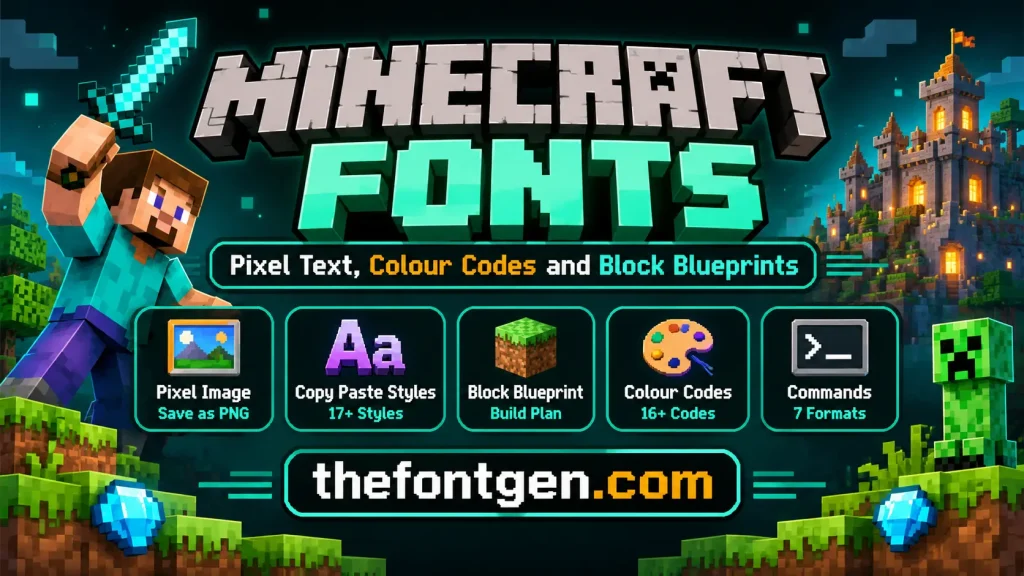
This minecraft font workshop turns one typed word into four finished pieces: a pixel image you can save as PNG, JPG or SVG, styled Unicode text you can copy and paste, a block by block build plan with exact block counts, and ready colour codes and server commands. It holds 5 tabs, 17 copy paste styles, 16 colour codes, 7 command formats and 9 image presets, and it runs fully in your browser with no signup.
The image side draws true pixel letters from 46 glyphs, with gradients, 3D depth up to 6 pixels, game backgrounds and 7 export sizes from a 64 by 64 server icon to a 1280 by 720 YouTube banner. The in game tab previews your text in 5 scenes, a chat line, a sign, a name tag, a server list and an item tooltip, and the block blueprint tab counts every block, so a STEVE sign needs 75 blocks, 1 stack and 11, at 29 by 7. A username checker applies the Java rules, 3 to 16 characters with letters, numbers and underscores, before you settle on a name.
Example: Type the name DragonCraft in the workshop and you can export it as a wide banner for a video, copy it as 𝗗𝗿𝗮𝗴𝗼𝗻𝗖𝗿𝗮𝗳𝘁 for a profile, and plan it as a block build, all from the same one input.
What Is a Minecraft Font?
A minecraft font is the blocky pixel lettering that the game uses for its menus, chat, signs and item names. The letters sit on a small square grid, so every character looks like it was built from tiny blocks.
People use the same name for three different things, and that is where the confusion starts. It can mean the minecraft font inside the game itself, a fan made minecraft font file you install on a computer, or styled text you copy and paste into apps outside the game.
Example: When a player says a minecraft text font, they usually mean the lettering on a sign inside the game. When a designer says it, they usually mean an installed font file they can use in a thumbnail or a poster.
Search engines mix these meanings together on one results page for the minecraft font, and some people even type the words in the other order, font minecraft, and land on the same mix. Long time players often shorten the whole topic to mc fonts in chats and file names, but the short name still points to the same three things.
The Two Types of Minecraft Fonts You Will Meet
The first type is the bitmap font that lives inside the game. Mojang built it as a sheet of small pixel glyphs, the game draws your chat and menu text from that sheet, and you cannot pull it out as a normal font file.
The second type is everything fans made outside the game. That covers installable TrueType minecraft font files that copy the game look, Unicode styles that you copy and paste, and image makers like the workshop on this page.
Example: The lettering on an enchanting table belongs to the first type and lives inside the game files. The name 𝗗𝗿𝗮𝗴𝗼𝗻𝗖𝗿𝗮𝗳𝘁 in a Discord profile belongs to the second type and works almost anywhere text works.
Knowing the split explains most problems people report. A copy paste style will never change the letters inside the game, and an installed minecraft font file will never change how a Discord bio looks on a friend phone.
What Font Does Minecraft Use?
The short answer is that the game uses more than one minecraft font, and each one has its own job. The minecraft font name you will hear most often is Mojangles, and it handles most of the text you read while playing.
Other fonts step in for headings, for the enchanting table and for languages the main font does not cover. This section names each one, so you know exactly which font sits behind the screen you are looking at.
Example: The words in your chat window, the big heading on a Bedrock menu and the swirling letters on an enchanting table all come from different fonts. One name never covers the whole game.
Mojangles, the Default In Game Font
Mojangles is the primary minecraft font, according to the Minecraft Wiki. It draws most in game text in both Java Edition and Bedrock Edition, including chat, menus, signs, books and inventory labels. Some font sites also call this lettering Minecraft Seven, a name linked to the newer Bedrock menu screens, though it points to the same game font rather than to a separate file you can download.
The font is older than the game release itself. It first appeared in Java Classic in 2009, and Notch had already used the same lettering in an earlier game of his called Legend of the Chambered.
Java Edition keeps three more default minecraft fonts beside Mojangles, which makes four in total. GNU Unifont steps in when your text holds characters that Mojangles does not support, and the enchanting table uses its own alphabet, which the next sections explain.
The last of those three is Illageralt, a minecraft font that sits in the game files. The wiki lists it as unused in normal play, so most players will never see it outside commands and fan discussions.
Example: Type a message with a symbol the main font lacks, and the replacement letter you see comes from GNU Unifont. The swap happens quietly, which is why mixed messages can look slightly uneven.
The Minecraft Ten Font for Headings and Menus
Minecraft Ten is an official minecraft font used in Bedrock Edition for header text in menus, where a heading needs more weight than the normal letters. The Minecraft Wiki says it is based on the game logo, and it was created in 2018 by Canada Type.
The same minecraft font works outside the game as well. Mojang uses Minecraft Ten for top level headers on the official website, and the mid level headers there use Mojangles instead.
Minecraft Ten is not a free download from Mojang. The wiki lists its rights as reserved, with use allowed under the Minecraft usage guidelines, so sites that offer it as a free minecraft font file are sharing fan copies or lookalike files.
Example: A download page that promises the official minecraft ten font for free is not giving you a Mojang release. At best it is a fan recreation, and the next sections show how to tell fan files apart.
The Minecraft Enchanting Table Font
The letters floating over an enchanting table are not random marks. They are the standard galactic alphabet, a simple substitution alphabet where each symbol stands for one normal letter.
The alphabet is older than Minecraft itself. It first appeared in the Commander Keen games in 1990, and Mojang later reused it for the enchanting table, which is why fans call it the minecraft enchanting table font.
Example: The enchanting screen shows symbols, but each symbol maps to a real letter, so a patient player can read the words. The sentence looks alien, yet it is plain English wearing a costume.
This alphabet is a code, not a second language. Once you learn the mapping, the same symbols always mean the same letters, in the game and in fan made translators.
Minecraft Logo Font: Is There a Real One?
There is no installable minecraft logo font, because the logo was never typed in a font. The famous wordmark is custom stone textured lettering, drawn for the game, and Mojang has never named a typeface or a designer for it.
You can see the handmade part when you look closely. The letters lean at slightly different angles, and each letter cracks in its own way, which a normal font file would repeat in a fixed pattern.
Example: The creeper face hidden inside the letter A has been part of the mark since the Beta 1.4 days in 2011. A typed font would not hide a picture inside one letter and leave the rest plain.
MineCrafter and Other Fan Recreations of the Logo
Since the real logo lettering cannot be installed, fans rebuilt it as minecraft font files. The minecrafter font is one of the best known of these recreations, and it copies the heavy cracked style of the logo for titles and banners.
A recreation is still a fan work, not a Mojang product. It gives you the logo mood for a video title, but it does not give you the exact stone texture or the hand drawn cracks of the real mark.
Example: Type a channel name in MineCrafter and it looks close to the game logo at a quick glance. Put it beside the real logo and the cracks, shadows and leaning letters will not match.
Minecraft Ten came later and took the opposite path. Instead of fans copying the logo, Mojang had a proper minecraft font built based on the logo in 2018, and that font now carries headings in Bedrock and on the official site.
How to Use the Minecraft Font Generator
This minecraft font generator is the workshop at the top of this page, and it works fully in your browser. You type once in the text box, and all five tabs read that same text, so you never type your name five times.
The five tabs are Image, In game, Block blueprint, Copy paste styles, and Codes and commands. The steps below follow the order most players need, from a plain idea to a finished banner, name or command.
Example: A server owner can type the name PixelCraft once and finish with a server icon, a styled Discord name and a coloured welcome command. The steps below walk through each tab in turn.
Type Your Text and Add Your Colours
Write your text in the box at the top of the control panel. You can use more than one line, and the workshop draws capital pixel letters on the canvas, so a name typed in small letters still comes out in the classic blocky capitals.
A line sizes field lets you set each line on its own scale from 1 to 4, so a short second line can sit smaller under a big first line. The picture letters cover A to Z, 0 to 9, a space and nine punctuation marks, the exclamation mark, question mark, full stop, comma, minus sign, underscore, colon, apostrophe and plus sign.
Any other character, like & or %, shows in the picture as the question mark glyph. That limit belongs only to the picture side of the minecraft font workshop, and the copy paste styles pass such characters through as normal text.
Six small buttons sit under the text box and insert the game format codes for you. They cover bold, italic, underline, strikethrough, the scrambled obfuscated effect and reset, and clicking one wraps your selected words in that code.
Example: Select the word WORLD in a two line HELLO WORLD text and press the bold button. The workshop wraps it with the bold code at the start and a reset code at the end, so only that word turns bold.
Further down the panel, under the quick styles row, sits the row of sixteen colour swatches. Click a colour to insert its code where your cursor stands, or select some text first and the colour wraps that selection in the same way.
Example: Click the green swatch and then the gold swatch before two different words in your server name. Each word now carries its own colour code, ready for the image, the codes tab and the game itself.
Style the Image in the Image Tab
The Image tab is open by default, and it shows your text as a pixel picture on a chequered stage. Nine quick styles sit in the control panel, named Grass, Diamond, Gold, Redstone, Ender, Nether, Ice, Stone and Rainbow, and one click restyles the whole picture.
Under those presets you control everything by hand. Fill can be solid, gradient or rainbow, the look can be 3D blocks, game shadow, outline, glow or flat, and sliders set the pixel size from 2 to 16 and the 3D depth from 1 to 6. A letter gap slider adds up to 3 extra units of air between the letters, which helps wide minecraft font titles breathe.
Example: Pick the Diamond preset for a pale blue gradient with a 3D block look on a transparent background. Then raise the pixel size slider and the same name grows bigger on the canvas without losing its shape.
You can also set a background of transparent, stone wall, netherrack or night, align the text to the left or the centre, and add a small mark beside the words. The marks are a creeper, a heart, a gem, a star and a block.
Example: Add the creeper mark to a short name like GG and export it at the 64 by 64 server icon size. The face sits at the start of the first line, which makes a plain two letter icon easy to spot in a server list.
When the picture looks right, choose an export size and save it. Sizes cover fit to text, YouTube at 1280×720, a Discord banner at 960×540, an X header at 1500×500, a square at 1080×1080, a server list strip at 468×60 and a server icon at 64×64, and the buttons save PNG, JPG or SVG or copy the PNG itself.
Example: A creator picks the YouTube size, saves the PNG and drops it straight into a thumbnail. No cropping is needed, because the workshop already framed the text for that exact canvas.
Preview the Text In Game
The In game tab answers the question every player asks before saving anything. It shows your exact text inside five scenes drawn the way the game shows them, so you can judge the look before you paste it into a live world.
The five scenes are a chat line, a sign, a name tag, a server list entry and an item tooltip. Each scene keeps its own background and frame, from the dark purple tooltip box to the black server list panel.
Example: A name that looks great as a big banner can turn hard to read on a small wooden sign. The sign scene shows that problem at once, and you can shorten the name or raise its contrast before anyone else sees it.
Plan the Build in the Block Blueprint Tab
The Block blueprint tab turns your text into a build plan for the game itself. It redraws every letter as a grid of blocks and tells you the full count, the stacks that count makes, and the width and height of the whole build.
You can keep the block colours matched to your text colours, or switch the plan to stone, gold, diamond, emerald, quartz, obsidian, redstone or lapis. A button copies the layout as a text grid, and another button downloads the blueprint as a PNG.
Example: The word HI at the normal single size needs 28 blocks, and the plan measures 11 blocks wide and 7 blocks tall. The word STEVE needs 75 blocks, which the counter shows as 1 stack plus 11 blocks, across 29 blocks wide and 7 tall.
Counts like these stop the most common building mistake. Players often guess a letter wall will take two stacks of stone and run out halfway, while the blueprint gives the exact number before the first block is placed.
Example: Before building a STEVE sign over a shop, you learn it takes 75 blocks and a 29 block wide wall. You can gather the full amount in one trip instead of flying back to your storage three times.
Copy a Style or a Ready Command
The last two tabs turn the same text into things you paste rather than pictures. The Copy paste styles tab lists seventeen styled versions of your text, each with its own copy button, and the Codes and commands tab builds seven ready outputs for servers.
The codes tab covers the section sign version of your text, a nick command for Essentials, a hex code for every letter, a MiniMessage version, a server.properties MOTD line, a tellraw command and a title command. Every output sits in its own box with a copy button, so you paste it exactly as the game expects it.
Example: Copy the tellraw output and run it in a Java world, and your coloured welcome text appears in the chat for every player. Copy the MOTD line instead, and the same words greet players in the server list before they even join.
Above the style list, the tab also checks your first line against the official Java username rules. It tells you if the name is valid as typed, if it needs 3 to 16 characters, or if it holds letters outside A to Z, 0 to 9 and the underscore.
Example: The name 𝗦𝘁𝗲𝘃𝗲 looks perfect as a styled copy, but the checker warns that styled letters are not allowed in a real Java username. You keep the styled version for Discord and type the plain name in the game, which is exactly the split the checker exists to teach.
Minecraft Font Styles in This Workshop
Styles in this workshop come in two families that behave very differently. The image family draws true pixel letters that you save as a picture, and the copy paste family rewrites your text with special characters that you paste as living text.
Both families start from the same typed words, so you can compare them in seconds. This section walks through each family with real outputs, so you can pick the right one before you start designing.
Example: The name Steve as a picture can carry a 3D diamond gradient that no app can type. The same name as pasted text, 𝗦𝘁𝗲𝘃𝗲, stays selectable and searchable, but it can only use the characters Unicode offers.
Copy and Paste Styles You Can Use Anywhere
The minecraft font copy and paste list holds seventeen styles, and every row shows your full text with a copy button beside it. The styles are Bold sans, Bold serif, Monospace, Gothic, Circled, Squared, Dark squared, Fullwidth, Small caps, Bold script, Italic sans, Sans, Bold italic, Brackets, Stars, Pickaxe and Swords.
They show in most modern apps and browsers, and they need no install on your side or on the reader side.
Example: Steve becomes 𝗦𝘁𝗲𝘃𝗲 in Bold sans, 𝐒𝐭𝐞𝐯𝐞 in Bold serif, 𝚂𝚝𝚎𝚟𝚎 in Monospace and 𝕾𝖙𝖊𝖛𝖊 in Gothic. One name gives four very different moods, from clean and strong to dark and medieval.
The Small caps style earns its own mention, because players often search for a minecraft small font for compact names and tags. It shrinks the letters while keeping them sharp, so a long clan name still fits in a tight profile line.
Example: The name steve in Small caps comes out as sᴛᴇᴠᴇ, neat enough for a crowded leaderboard. The Pickaxe style wraps the same name as ⛏ Steve ⛏, which suits a mining themed server far better.
Three of the styles add decoration rather than new letters. Brackets frames your text as 【Steve】, Stars frames it as ★ Steve ★, and Swords frames it as ⚔ Steve ⚔, which makes them handy for headings inside a Discord channel.
Example: A channel heading written as ⚔ Steve ⚔ reads like a battle board title. The same heading in plain letters looks flat, even though the words did not change at all.
Minecraft 3D Font Effects and Logo Style Titles
The minecraft 3d font look is the deepest look in the Image tab. Letters gain a shaded side wall, like blocks stacked behind the face, and the depth slider moves that wall from 1 to 6 pixels.
TextStudio and similar logo sites built their whole pages on this one effect, because a 3D pixel title reads as a game logo at first glance.
Example: Type a server name, choose the 3D blocks look with a gold gradient and a night background, and the result feels like a logo. Save it at the X header size and the title carries your profile before a single post loads.
If you searched for a minecraft logo generator, this tab is the honest match inside the workshop. It cannot reproduce the official hand drawn logo exactly, because that lettering was drawn by hand and never released as a font, but it builds clean logo style titles in the same blocky spirit.
Example: A small server called StoneCraft gets a green gradient title with a creeper mark for its Discord banner. Players recognise the theme at a glance, and nobody mistakes it for the official Mojang mark.
The other looks from Step 2 cover the quieter jobs, and outline earns its place most often, because busy backgrounds eat plain pixel letters.
Example: White flat letters disappear on a pale thumbnail, while the same words with a dark outline stay readable. Switching the look takes one click, which beats redrawing the whole design by hand.
Minecraft Colour Codes and Server Commands
Colour is half of the minecraft font look, and the game has a fixed code system for it. The minecraft colour codes are the sixteen classic colours, each with a short code, and the workshop keeps the full set one click away in two places.
In the control panel, the swatch row inserts a colour code into your text where you are typing. In the Codes and commands tab, a reference grid lists every colour with its code, its name and its hex value, and clicking any row copies that code.
Example: The code and a gives green, and 6 gives gold, and c gives red. A server name written with gold for the first word and green for the second keeps that split in the image, the MOTD and the tellraw output at once.
The Sixteen Colours and Five Format Codes
The sixteen colours run from black and dark blue through green, aqua, red and gold to yellow and white. Each colour owns one code from 0 to 9 and then a to f, a system the game has used for years across chat, signs and server files.
Five format codes change the shape of the letters instead of the colour. Bold, italic, underline and strikethrough work the way their names suggest, while obfuscated scrambles the letters into fast changing random characters.
Example: A shop sign can show a gold bold price with the colour code and the bold code placed before the numbers. An obfuscated line under it draws the eye, because its letters keep scrambling while every other line on the sign stays still.
The reset code ends all colour and formatting at the point where you place it. Forgetting the reset is the most common code mistake, because everything after your coloured word quietly inherits its style.
Example: Your server name is green, but the welcome words after it also turn green, and you never asked for that. One reset code right after the name keeps the rest of the sentence plain.
Ready Commands for Java Servers
The Codes and commands tab writes the technical lines for you, in the exact format each system expects. That matters because a MOTD line, a tellraw command and a MiniMessage string all wrap the same words in different clothing, and one wrong bracket breaks the whole line.
The hex per letter output gives every character its own full colour, which is how smooth gradient names on big servers are built. Doing that by hand for a long name takes real patience, while the tab builds it from your gradient colours in one pass.
Example: A rainbow server name needs a fresh hex code before almost every letter in the raw command. The workshop output for that same name is one clean line you copy once, and the gradient appears in chat exactly as the preview showed.
Version notes in the tab keep you honest about where each format works. The tellraw and title outputs are marked for Java 1.16 and newer, and the hex format is marked for Spigot and Paper servers from 1.16, so you know the limits before you paste.
Example: A command that works on your Paper server may fail on an older vanilla world. Checking the small version note in the tab takes seconds and saves a round of trial and error in front of your players.
Minecraft Font Download: Font Files and Honest Limit
The minecraft font download search brings more confusion than any other part of this topic. Download sites host several different fan made minecraft fonts under almost the same name, made by different people, with different licences and different style counts.
This page does not offer a minecraft font file, and this section will not pretend otherwise. The workshop exports images and styled text, while the paragraphs below point you to the real file options and explain what each one actually is.
Example: If you need letters you can type inside Photoshop, you need a minecraft font file from a download site. If you need a finished banner, a styled bio name or a server command, the workshop above already does that job without any install.
Minecraft Font TTF Files on Download Sites
The most shared minecraft font ttf is the file named Minecraft.ttf, listed on DaFont under the name Minecraft by Craftron Gaming. DaFont shows it in the Bitmap category at 16 pixels, lists it as 100% Free, and notes it was first seen on the site on July 12, 2015, with 110 glyphs.
A second minecraft font family with the same plain name lives on FontSpace and Font.Download. That minecraft font family is credited to Jacob Debono, carries a 2017 copyright, and holds four styles, Regular, Italic, Bold and Bold Italic, where the DaFont file holds a single style.
Example: Before installing, open the preview on the download page and type your own server name into it. The Craftron file shows one style built from its 110 glyphs, so a name that needs a bold or italic cut has to come from the four style family instead.
This is why checking the author line matters more than the minecraft font name. The name tells you the look, while the author and licence lines tell you whose work it is and what you may do with it.
Example: The listing for the four style family carries a designer credit and a 2017 copyright line on the same page as the download. Reading that small block tells you more about the file than its name ever will.
The Minecraft Font Dafont Page and Minecraftia
The minecraft font dafont listing for the Craftron Gaming file is the one most players meet first, because it ranks high and the download button is simple. DaFont labels that file 100% Free, which is stronger wording than the personal use label many fan fonts carry.
DaFont also hosts a different and older fan favourite called Minecraftia. The minecraftia font by Andrew Tyler appeared on DaFont in December 2011, and its label is free for personal use, with commercial use needing a separate licence from the author
Example: A student can use Minecraftia on a school project poster under its personal use label. A shop selling shirts with the same lettering needs the commercial licence first, and the DaFont page links to where that licence lives.
Keeping these two files apart protects you from the most common licence mistake in this topic. One page on one site can say 100% Free while the neighbouring page on the same site says personal use only. Most old videos that promise a minecraft font download are pointing at one of these two files.
How to Install a Minecraft TrueType Font
Installing a minecraft truetype font works like installing any other font file. On Windows, you usually right click the TTF file and choose Install, or drop it into the Fonts folder, and the minecraft font then appears in your design apps after they restart.
On a Mac, you usually double click the file and press Install Font in the preview window, which adds it through Font Book. Phones are stricter, and most players who need the font on mobile end up using an image or a copy paste style instead.
Example: After installing Minecraft.ttf on a laptop, the name Minecraft appears in the font menu of a photo editor. The same file does nothing inside the game itself, because the game never reads your system fonts.
One warning belongs in every install guide. Only download minecraft font files from the known font sites, and scan any file your system flags, because fake download buttons on copycat pages are a real problem in this niche.
Example: On DaFont the real download is a single button near the font name. A page showing five flashing download buttons is showing ads, and the safest move is to leave and use the known site.
What This Workshop Gives You Instead of a Font File
A minecraft font file and this workshop solve different halves of the same need. The file lets your own apps type in the game style, while the workshop hands you finished pieces, images, styled text, blueprints and commands, with nothing to install.
For many players the finished pieces are the faster path. A minecraft font free download still leaves you opening an editor, typing the text, styling it and exporting it, while the workshop starts at the typing step and ends at the export.
Example: A server owner needs an icon tonight, not a new skill. The workshop hands over the 64 by 64 PNG directly, while the font file route would still be at the install step.
The honest limit runs the other way as well. If you need to type long documents in the game style every day, an installed file beats any generator, and the alternatives section near the end names Monocraft, a programming font built for that life.
Example: A programmer who writes code all day in a Minecraft mood needs Monocraft installed, not a banner maker. Knowing which tool fits which job is worth more than pretending one tool does everything.
Minecraft Font Texture Pack and Resource Pack Fonts
In Java Edition, resource packs can carry font files, and players often call any visual pack a texture pack. A minecraft font texture pack search is really a search for a pack that swaps the default letters for a new set while the rest of the game stays the same.
Example: A player installs a popular faithful style pack for sharper blocks and finds the chat letters thinner as well. The pack quietly included a font, and the text change rode along with the block change.
Why Your Game Font Changed and How to Revert It
If you are asking why did my minecraft font change, a resource pack is the most common answer, though it is not the only one. Packs change fonts silently, because the font files sit deep in the pack folders and most pack pages advertise blocks and items, not letters, and mods or other game modifications can replace the text rendering as well.
To get the default look back, open the resource pack screen in the game options and move the pack out of the active list, then let the game reload. The default Mojangles letters return as soon as no active pack overrides them.
Example: Your menu letters turn thin and sharp after a weekend of trying new packs. Removing the last pack you added brings the chunky default letters back, which also tells you which pack carried the font
Players who love a pack but hate its font have a middle path. A vanilla font pack loaded above the main pack in the list can restore the default letters while the rest of the pack keeps working.
Changing the Font Inside the Game
The full answer to how to change the font in minecraft is short, and it never involves your system fonts. Changing the actual in game font always goes through packs or mods, and installing a minecraft font TTF file on your computer changes only your design apps, because the game ignores it completely.
Bedrock players have fewer font options than Java players, because packs there follow tighter rules. Most Bedrock players who want a new look end up choosing a full texture pack that includes a font they like.
Where to Use Minecraft Font Text and Images
The workshop output travels far beyond the game, because a PNG image and a line of styled text fit almost anywhere. This section matches each output type to the places where it works best, so you do not paste an image where text belongs or text where an image belongs.
As a rule of thumb, images carry the heavy pixel styling, and pasted text carries the searchable, copyable jobs. Most players end up using both, one for how a page looks and one for how it reads.
Example: A server profile page can open with a 3D banner image and list the server name again in bold styled text below it. The image wins the first glance, and the text version stays easy to copy for friends.
Server Names, MOTDs and Signs
Inside the game world, the codes tab does the heavy lifting. The MOTD output dresses your server list entry, the sign preview checks your shop boards, and the chat line preview tests announcements before players see them.
Server list space is tiny, so short names with one strong colour usually beat long rainbow names there. The server list export size in the Image tab is shaped for that strip, which helps you judge the fit honestly.
Example: A short name in gold on the 468 by 60 strip stays readable at list size. The same name stretched with six colours and a glow turns into noise, and the preview shows that before your players do.
Signs reward planning as well, because a sign holds little text and the game wraps it without asking you. Writing the sign words in the workshop first shows you the line breaks the game will more or less follow.
Discord, Bios and Social Profiles
Styled copy paste text shines brightest in Discord names, channel headings and profile bios, where the game codes do not work but Unicode does. The seventeen styles in the workshop were built for exactly these spots.
Chat culture mixes styled names with text faces in the same lines, which is why a bold server name beside a classic lenny face feels so natural in a busy channel. Keep the mix light, though, because a name, three faces and six symbols in one line stops being a name and becomes a puzzle.
Example: A Discord display name set as 𝗗𝗿𝗮𝗴𝗼𝗻𝗖𝗿𝗮𝗳𝘁 reads cleanly in every member list. Adding the pickaxe frame, ⛏ DragonCraft ⛏, suits the name of a mining channel better than a personal profile.
The same styles also work inside display names and bios on chat and social apps, where plain letters are the default and one styled word stands out. Keep one styled line per profile, so the effect stays special instead of noisy.
Example: A bio that keeps every line plain except the server name in Bold sans draws the eye to the one line that matters. A bio where every line shouts in a different style draws the eye nowhere.
YouTube Thumbnails and Channel Art
Video is where the image exports earn their place, because a thumbnail has about one second to explain itself. Blocky 3D letters with a strong outline can carry a whole Minecraft video idea before the viewer reads a single normal word.
The preset export sizes remove the measuring work. YouTube at 1280 by 720, the X header and the square size are ready in the menu, and thumbnail text works best when it stays short, usually two or three big words at most.
Example: A thumbnail that says DIAMOND HUNT in gold 3D letters on a night background tells the whole story at phone size. A thumbnail that tries to fit a full sentence in the same style fails at that size, no matter how pretty the gradient is.
Channel art rewards the same discipline over a longer life. A banner name will sit above months of videos, so a clean gradient and the flat or shadow look usually ages better than the loudest glow.
Names for Other Games and Platforms
Game style text travels well into other games, because players read blocky letters as a gaming badge. If you are naming a character or a group in another blocky world, game name fonts in this same pixel mood keep the theme consistent across your profiles.
Battle royale names follow looser rules and love styled Unicode. Working like a battle name maker, pick one strong styled word with a symbol frame for the squad, the same way the Swords style frames a name here
Example: A squad that calls itself ⚔ Titans ⚔ in one game can carry the same framed name into its Discord and its video titles. One name in one style across every app makes a small team look organised.
For everyday names and captions outside the game theme, the cool text maker on the homepage covers the general styles in one place. The workshop stays the specialist, and specialists are faster when the job matches their shape.
Similar Fonts and Alternatives Worth Knowing
The download sites end their pages with similar minecraft fonts, and that habit is worth copying. Different jobs in this topic need different files, and naming the right neighbour saves you a wrong download.
Every option below is a real minecraft font with a different strength. None of them is the official game font, and each one says so in its own way when you read its page with care.
Example: A coder, a poster designer and a video editor can all search this topic on the same day and need three different files. The list below matches the file to the job, which is the part most download pages skip
Monocraft, the Programming Font in Minecraft Style
The monocraft font is a programming font based on the typeface used in the Minecraft UI, rebuilt so every character takes the same width. Fixed width matters in code, where columns of symbols must line up, and the font even redraws thin letters like i and l with small tails so they stay clear
Monocraft also adds programming ligatures, so arrows and comparison signs join into cleaner symbols. Its page states plainly that it is a fan project with no link to Mojang, and it is released under the Open Font License, free for commercial use.
Example: A developer sets Monocraft as the editor font and the code keeps the game mood all day. The same job with a banner generator would be hopeless, which is why this file exists as its own project.
Press Start 2P and Other Pixel Alternatives
When a design tool cannot take your installed file, its built in pixel fonts are the fallback. Press Start 2P is the name that comes up most in Canva and Google Docs guides, because it lives inside Google Fonts and carries a clear retro game feel.
It is not a copy of the Minecraft letters, and at small sizes its letters can feel tighter and harder to read. Treat it as a cousin with the same spirit, not as the same minecraft font wearing another name
Example: A teacher making a game themed worksheet in Google Docs picks Press Start 2P for the headings because it is already in the menu. The headings feel playful, and nobody needs to install anything on a school computer
Other pixel fonts in the same family tree include Silkscreen and Pixelify Sans, both on Google Fonts. They read cleaner at small sizes than most game copies, which makes them kinder for long headings and printed pages.
Tips for Clean and Readable Minecraft Text
Good game text is mostly restraint. The minecraft font tools give you gradients, glow, frames and scrambled letters, and the skill is knowing which one idea each line actually needs
The three tips below cover the mistakes that show up most in server names, bios and thumbnails. Each one takes seconds to apply and saves the slow pain of redoing finished art.
Example: A name with one gradient, one look and no frame reads as designed. The same name with a rainbow fill, a glow, a frame and a mark reads as an accident, even though every single effect was pretty on its own.
Keep Small Text Simple
Small spaces punish detail, because thin pixel lines break apart when they shrink. Server list strips, name tags and phone bios should use flat or shadow looks, one colour, and the shortest name that still means something.
Bold styles survive shrinking better than thin ones, which is why the bold rows lead most name lists.
Example: The tag 𝗚𝗚 in Bold sans stays clear at tiny sizes where a glowing gradient GG melts into a blob. Choosing the boring version at small sizes is a design skill, not a lack of imagination.
Circled letters need the same care, because the circle eats space around every letter.
Example: ⒹⓡⓐⓖⓞⓝⒸⓡⓐⓕⓣ works as a channel heading where it can stay large. As a tiny name tag it cramps, and the plain bold version wins that job easily.
Check the Name Rules Before You Fall in Love
Every platform guards its names with its own rules, and styled characters fail many of those guards. The checker in the Copy paste styles tab tests your first line against the Java rule in seconds, so run it before you design a banner and a channel name around a name you cannot claim.
The safe habit is to check first and design second. A name that passes the checker can still wear styled versions in your bio, your Discord and your video titles, where the rules are looser.
Example: The name Dragon_Craft passes the Java rule, while 𝗗𝗿𝗮𝗴𝗼𝗻𝗖𝗿𝗮𝗳𝘁 does not, even though they read the same. Designing the styled twin first and the legal name second leaves players stuck with a name they cannot actually claim.
Screen readers add one more quiet reason to keep important names plain. A reader may spell a styled name letter by letter, so the fancy version can sound confusing even when it looks clear on screen.
Example: A display name in Gothic letters looks sharp in a member list. A friend using a screen reader hears a slow string of letter names instead, which is worth knowing before you set it everywhere.
Save Your Styles and Respect the Licences
The workshop can save your style settings in your browser, and the undo and redo buttons walk you through your recent changes, while the reset button restores the whole starting setup in one click. Saving the two or three looks you actually use beats rebuilding a favourite gradient from memory every weekend.
Licences deserve the same respect on the file side of this topic. Fan made minecraft fonts carry real terms, from 100% Free to personal use only, and those terms travel with the file into every video, shirt and poster you make with it.
Example: Your saved Gold preset in the workshop is yours to reuse freely, because the workshop output is your own design. A fan font in the same video still follows its author terms, and one quick read of its page settles what you may sell.
Frequently Asked Questions
Conclusion
The minecraft font is really a small family of ideas wearing one famous name, from the daily text in Mojangles to the hand drawn logo that was never a font at all. Knowing which piece you need, a game font, an installed file or a styled copy, is most of the battle.
The workshop keeps the practical pieces in one place, so one typed line can leave as a banner, a styled name, a counted block plan or a working server command. Start with your server name in the Diamond preset, and let the five tabs finish the job.