Discord Fonts Generator: Copy and Paste Styles for Names, Bios, Channels and Messages
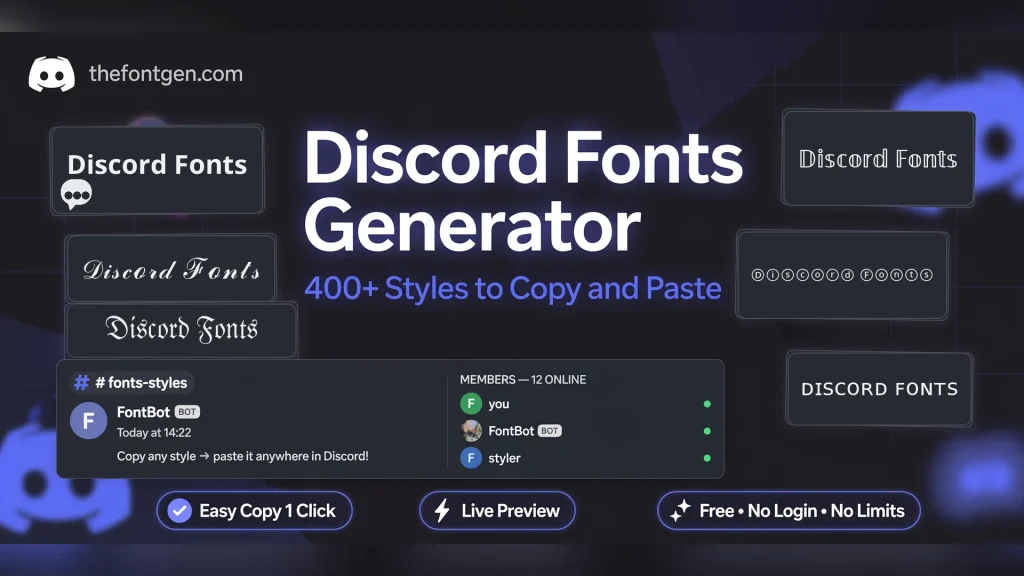
This discord font generator builds 400+ styles for the exact places you write on Discord, and it checks each style against the limit of the place you picked. Pick a field tab first, Display Name, About Me, Channel Name or Message, and every card shows its own character count with a clear mark when it passes that limit.
A Discord preview sits above the style grid, so you see your copied style as a chat message and a member list row before you paste it anywhere. The same preview shows your channel name the plain way Discord saves it, lowercase with hyphens, so you can check that too. For example, the name Pixel comes out in Bold Sans as 𝗣𝗶𝘅𝗲𝗹.
The tool also carries a username format checker, because usernames play by stricter rules than every other field. It cleans the name you want into the closest plain username Discord allows, ready to copy. If you want one place that styles text for many apps, the font style maker on the homepage covers the rest.
What Are Discord Fonts?
Discord fonts are styled versions of your normal letters that you paste into Discord, and they are not a setting inside the app. Discord has no font picker for your name, bio or channels, so the styled look has to be made outside and pasted in.
That is the whole idea behind discord fonts copy and paste: you type plain words, the tool swaps the letters for styled characters, and you paste the result where you want it. For example, the word Quest in Bold Serif looks like this: 𝐐𝐮𝐞𝐬𝐭.
How Discord Fonts Work
Discord fonts work because they are Unicode text. Unicode is the shared character set that phones and computers use to show letters, symbols and emoji, so a styled letter is still plain text underneath.
Many styled letters come from the Mathematical Alphanumeric Symbols block of Unicode, which holds bold, italic, script and double struck forms of the same letters. Other styles come from other parts of Unicode, like the circled letters used by bubbly text styles. For example, the word Orbit in Bubble looks like this: Ⓞⓡⓑⓘⓣ.
Are Discord Fonts Real Fonts?
No, and the difference matters. A real font is a file that tells a device how to draw letters, while these styles are ready made characters that your device already knows how to show.
That is why no install and no file are needed, and why the same pasted text usually shows on other phones and on the Discord website. It is also different from calligraphy text styles, which usually come from real font files made for design work. For example, the name Willow in Script looks like this: 𝒲𝒾𝓁𝓁ℴ𝓌.
How to Use the Discord Font Generator
If you searched how to change font in discord, you are in the right place, because the change happens to the characters themselves. This generator swaps your letters in four short steps.
The input bar stays at the top of the tool while you scroll, so your text is always in reach. Start with the empty box, or press Paste and the tool tries to read your clipboard, and if the browser blocks that read, it asks you to paste the text in yourself. The steps below follow one name, Falcon, from the empty box to the final paste, so you can see the whole flow on a single example.
Type or Paste Your Text
Type the word or name you want to style into the box, for example the name Falcon. Every style card updates as you type, so there is no button to press before the results appear.
If you leave the box empty, the cards fall back to the words Discord Fonts, which makes it easy to compare styles before you decide on your own text. The Clear button empties the box again when you want to start over, and the box holds up to 2,000 characters, keeping only the first 2,000 if you paste more than that.
Pick the Place You Will Use It
Tap the tab for the place you are writing for, Display Name, Nickname, About Me, Status, Server Name, Channel Name or Message. The tab tells the tool which character limit to check your styles against.
Your typed text stays in the box when you switch tabs. For example, Falcon keeps the same text while you compare how it fits in a display name and in an About Me. Cards that grow too long for the tab you picked get an over limit mark.
Choose a Style and Check the Preview
Scroll the cards, use the category pills or the search box to narrow the list, and press Load More to see the next set of styles. The first set shows 24 cards, and Load More adds 24 more at a time from the same fixed list, with a smaller last set when the list runs out. If you cannot decide, press Random style and the tool picks one card for you, highlights it and scrolls it into view.
When a card looks right, press its Copy button and look at the Discord preview above the grid, in Dark or Light view. For example, Falcon in Bold Script with a Crown frame shows as ♛ 𝓕𝓪𝓵𝓬𝓸𝓷 ♛, and the preview shows that style as the chat message and in the member row, while its channel row shows the plain name falcon, the way Discord saves channel names.
Copy and Paste It into Discord
Paste the copied style into Discord and save the change. Take Falcon as the example and open the display name field, paste the styled name and save it there. Most fields accept the pasted characters exactly as they are, because they are normal text.
Typing new text in the box resets the preview, which then shows your new text in the first style, Bold Serif, until you copy another card. To keep a style, press its Save button, and it waits for you in the Favorites pill in the same browser, because favorites are saved in that browser rather than in an account.
Discord Font Styles
The discord fonts in this generator come from 28 base styles, and each base style can wear any of 15 decoration frames, from a plain look with no frame to crowns, swords and ornate brackets. Those two sets combine into 420 cards in total, and the pills above the grid sort them into Clean, Script, Gothic, Gaming, Cute and Decorated groups.
A frame adds characters around your words, so a decorated style is always longer than the plain style under it. For example, the word Voyager in Monospace stays plain and even: 𝚅𝚘𝚢𝚊𝚐𝚎𝚛.
Clean and Bold Styles
Clean discord fonts are the safest pick for names that strangers have to read and mention. Bold Sans and Bold Serif keep every letter clear, while Monospace gives a typewriter feel that suits tech and coding servers. Italic Serif and Italic Sans lean the letters over, Bold Italic Serif and Bold Italic Sans add weight to that lean, and Spaced spreads the letters out with room between them.
If you like the weight of bold letter styles but want them beyond Discord, the same look works in bios and posts on most apps. For example, the word Summit in Bold Sans looks like this: 𝗦𝘂𝗺𝗺𝗶𝘁, and in Bold Serif it looks like this: 𝐒𝐮𝐦𝐦𝐢𝐭.
Script Styles
Script discord fonts copy the flow of handwriting, with joined and sweeping letters. The tool carries Script and Bold Script, and Bold Script is the easier one to read at small sizes.
Script covers every letter, so no letter stays plain inside a script word, and the only honest gap is digits, which stay plain because Unicode gives Script no numbers of its own. It sits close to the script letter styles used for signatures and bios, but it is made of characters, not a font file. For example, the name Meadow takes this Script shape: ℳℯ𝒶𝒹ℴ𝓌, and this Bold Script shape: 𝓜𝓮𝓪𝓭𝓸𝔀.
Gothic and Gaming Styles
Gothic discord fonts lean on Fraktur letters, the old blackletter shapes with sharp edges, and Bold Fraktur makes the same shapes heavier. Gaming styles go louder, with Double Struck, Black Bubble and Black Square letters that stand out in a crowded member list. Square boxes each letter in, Slashed draws a line through the letters, and Asian Pseudo swaps in lookalike characters borrowed from other scripts.
These are the styles clan tags and guild names usually reach for, and the same dark mood drives many tattoo text styles outside Discord. For example, the word Dragon in Fraktur comes out as 𝔇𝔯𝔞𝔤𝔬𝔫, and in Double Struck as 𝔻𝕣𝕒𝕘𝕠𝕟.
Cute and Aesthetic Styles
Cute discord fonts soften a name with Bubble, Tiny letters and Curvy shapes. They suit fan servers, study groups and any community that wants a friendly first impression.
Fans of aesthetic font styles often pair a bubble name with a soft frame like Hearts or Sparkles. The same soft mood is what cute letter styles do for profiles on other apps, only here it is checked against Discord limits. For example, the word Peach in Bubble comes out as Ⓟⓔⓐⓒⓗ, and in Tiny as ᴾᵉᵃᶜʰ.
Decorated Styles with Frames
Decorated discord fonts add a frame around a base style, so one word can look plain, royal or battle ready without changing its letters. The 15 frames include Crown, Swords, Sparkles, Stars, Hearts, Skull, Ornate, Brackets, Arrows, Dots, Lines, Fire, Moon and Cross.
The Decorated pill above the grid is a different thing from the frames, because it filters five built in styles, Underline, Strikethrough, Upside Down, Mirror and Greek Pseudo, which decorate the letters themselves instead of wrapping them. Frames cost characters, and the count on each card includes the frame, so a framed name can cross a limit that the plain name fits. For example, the word Comet in Bold Sans with the Ornate frame looks like this: ꧁ 𝗖𝗼𝗺𝗲𝘁 ꧂, and in Greek Pseudo it comes out as Cσмєτ.
Discord Fonts for Names, Bios and Servers
Every place on Discord has its own character limit, and one of these discord fonts can fit in one place and be too long for another. The field tabs in the tool follow these limits, so pick the tab that matches your place before you copy.
A short name in a heavy frame can use more characters than a longer name in a clean style. For example, the short name Ivy in Bold Sans with a Skull frame looks like this: ☠ 𝗜𝘃𝘆 ☠, and the frame alone adds four characters around a three letter name.
The table below puts every limit in one place, so you can check your spot before you copy a style.
|
Place |
Character limit |
Styled text works? |
|
Display Name |
32 |
Yes |
|
Nickname |
32 |
Yes |
|
About Me |
190 |
Yes |
|
Custom Status |
128 |
Yes |
|
Server Name |
100 |
Yes |
|
Channel Name |
100 |
Yes |
|
Message |
2,000 (4,000 with Nitro) |
Yes |
|
Username |
2 to 32 |
No, plain letters only |
Read your row first, then pick the matching tab in the tool, and each card will count its own characters against that limit as you type.
Display Names and Nicknames
Your display name and your server nickname both allow 32 characters, and styled letters work in both. This field is the main reason people open a discord name font generator, because this is the name everyone sees next to your messages.
Gamers who style names for other games with a roblox text maker will feel at home, since the same copy and paste idea works here. For example, the name Shadow Wolf in Small Caps looks like this: ꜱʜᴀᴅᴏᴡ ᴡᴏʟꜰ, and it stays well inside the limit.
About Me and Status
Your About Me allows 190 characters, which makes it the roomiest home for discord fonts on your profile. Your custom status is shorter at 128 characters, so short styles fit it best.
An About Me can hold a styled line, a plain line and a link without much trouble. For example, the line weekend baker and plant keeper in Italic Sans looks like this: 𝘸𝘦𝘦𝘬𝘦𝘯𝘥 𝘣𝘢𝘬𝘦𝘳 𝘢𝘯𝘥 𝘱𝘭𝘢𝘯𝘵 𝘬𝘦𝘦𝘱𝘦𝘳.
Server and Channel Names
Server names allow 2 to 100 characters, and channel names allow 1 to 100 characters. Styled letters usually paste into both, and a server name is where a wide or bold style makes the whole server feel branded.
Whatever discord server name fonts you pick, they have to stay readable in the narrow server list, so clean styles beat heavy frames here. Players who brand game worlds with a minecraft text maker use the same trick of one strong name across a whole server. For example, the server name Cozy Corner in Fullwidth Wide looks like this: Cozy Corner.
Messages
A normal message allows 2,000 characters, and Nitro raises that limit to 4,000. Messages are the freest place for discord fonts, because length is rarely a problem and formatting tools work here too.
A styled heading line can open an announcement, while the rest of the message stays plain for easy reading. For example, the words Game Night Friday in Bold Sans come out as 𝗚𝗮𝗺𝗲 𝗡𝗶𝗴𝗵𝘁 𝗙𝗿𝗶𝗱𝗮𝘆.
Where Discord Fonts Work and Where They Do Not
Discord fonts work in display names, server nicknames, About Me lines, custom statuses, server names, channel names, role names and messages. When people talk about fonts for discord, these are the places they mean.
The one big exception is your username, which only accepts plain lowercase letters, numbers, periods and underscores. For example, the name Echo in Bold Italic Sans, 𝙀𝙘𝙝𝙤, is welcome as a display name, but Discord will not accept those letters inside a username.
Styled text also behaves differently in search, because Discord search usually matches plain letters, so a heavily styled name can be harder for friends to find.
Discord Username Rules and the Username Checker
People often look for discord fonts for usernames, but since the 2023 username change, a username can only use lowercase letters from a to z, the numbers 0 to 9, periods and underscores. It must be 2 to 32 characters long, and it cannot hold two periods in a row.
Some sites still claim that fancy letters work in usernames, and that claim is out of date. The fancy version of your name belongs in your display name, where everyone sees it next to your messages. For example, a name in the shape of luna.wolf follows the rules, while luna..wolf breaks them with its double period.
What a Discord Username Allows
A valid username is plain by design, and easy to type on any keyboard. Uppercase letters are folded to lowercase, and spaces are not allowed at all.
Take the name Night Owl! as an example. The closest username Discord allows is night_owl, with the space turned into an underscore and the exclamation mark removed.
How the Checker Cleans the Name You Want
Write the name you are aiming for in the Username Format Checker and press Check username. The tool folds fancy letters back to plain ones, lowers the case, turns spaces into underscores and removes anything Discord does not allow.
For example, the Bold Script name 𝓝𝓲𝓰𝓱𝓽 𝓞𝔀𝓵 cleans down to night_owl, and a name typed with two periods in a row gets an Invalid format verdict instead of a pass. The checker tests the format only, and it never claims that a name is free or taken. When the cleaned name looks right, one press on the Copy username button puts it on your clipboard.
Channel and Role Name Templates
Templates give your server a matching look without building every name by hand. Type one word, and the tool places it inside ready made channel patterns, role frames and symbol layouts. For example, the single word Lobby can come out as the channel name ꒰💬꒱・lobby, ready to paste into your channel list.
Channel templates treat your word the way Discord saves text channels, in lowercase with hyphens. Role frames keep your words as typed, because role names keep their case and spaces.
Channel Name Templates
There are 18 channel templates, each with its own Copy button. They dress a plain channel word with brackets, bars, dots and small emoji, which makes a long channel list easy to scan.
They give you the effect of discord channel name fonts without building each name by hand, since the styling is built around your word. For example, the word Announcements becomes ┊📢┊announcements in one of the templates.
Role and Name Frames
The 12 role and name frames wrap discord fonts in crowns, swords, brackets or small role icons. Admin, moderator, member and bot roles can each carry their own sign, so the member list explains itself.
For example, the role name Moderator with the shield frame looks like this: 🛡️・Moderator. A crown frame suits an owner role, while a leaf suits a member role.
Ready-Made Discord Name Ideas
For a name that is ready to paste, a gaming word like Phoenix in Bold Sans with the Fire frame comes out as 🔥 𝗣𝗵𝗼𝗲𝗻𝗶𝘅 🔥. Blaze in Double Struck with the Swords frame gives ⚔ 𝔹𝕝𝕒𝕫𝕖 ⚔, and Raven in Fraktur with the Moon frame turns darker as ☾ ℜ𝔞𝔳𝔢𝔫 ☽. Onyx in Black Bubble with the Skull frame lands as ☠ 🅞🅝🅨🅧 ☠, while Velvet in Bold Script inside the Ornate frame softens into ꧁ 𝓥𝓮𝓵𝓿𝓮𝓽 ꧂.
Softer looks work too, because Mochi in Bubble with the Hearts frame becomes ♡ Ⓜⓞⓒⓗⓘ ♡, and Daisy in Tiny with the Sparkles frame shrinks to ✧ ᴰᵃⁱˢʸ ✧. For the quietest option, Maple in Small Caps needs no frame at all: ᴍᴀᴘʟᴇ. Every idea here can be copied exactly as it stands, or rebuilt in the generator with your own name in the same style and frame.
Symbols and Dividers for Channel Layouts
The symbols section holds 60 symbols in 4 groups, Channel dividers, Gaming, Decorative, and Arrows and bullets. Each symbol is its own button, and tapping the symbol itself copies it, so you can build a channel layout piece by piece.
Server owners who collect game symbol styles for other games can reuse the same dividers here. For example, the channel word Guides with a star divider looks like this: ✦・guides.
Discord Text Formatting with Markdown
Markdown is Discord’s own formatting system, and it works with codes typed around your words instead of swapped letters. The discord text formatting section of the tool turns your text into ready to copy Markdown with one press.
The two systems suit different places. Styled letters change the name itself, while Markdown changes how a message looks, so many people use both. For example, the word Reminder wrapped in Markdown Bold looks like this: Reminder.
Markdown in Messages and About Me
Markdown works in messages and in your About Me, and it does not work in usernames, display names or server nicknames. The tool offers 14 wraps, including Bold, Italic, Bold Italic, Underline, Strikethrough, Spoiler, three Header sizes, Subtext, Quote, Inline Code, Code Block and Bullet List.
Pick a wrap and the discord markdown buttons show the wrapped text in the output box, and the separate Copy formatted text button copies it for you. It is a different job from a slanted text maker, because Markdown italic only shows inside messages and bios, while slanted Unicode letters travel with the name itself. For example, the words Patch Notes in Bold Italic look like this: Patch Notes.
Small Text in Discord
The phrase small text discord usually points at one of two things, a tiny message line or a small looking name. In messages, Discord’s own subtext code starts a line with a dash and a hash sign, and the line shows smaller than normal text.
For example, the line see you at eight as subtext is typed as -# see you at eight. In names, the nearest look is the Small Caps style, and the name Whisper takes this Small Caps shape: ᴡʜɪꜱᴘᴇʀ.
Colored Text on Discord
Plain discord fonts carry no color, and Discord has no color picker for messages, so colored text is built with an ANSI code block. The discord text generator part of the tool lets you pick a color, add bold or underline, and copy the whole block ready to paste.
This trick is often called discord colored text, and it shows in color on desktop and in the web app. On mobile, the same block usually shows as plain text inside a code box, so color should carry decoration, never meaning.
For example, the word Victory in red with bold switched on is a strong way to open a results message after a match. The preview box in the tool shows your color choice on a dark background before you copy.
What Font Does Discord Use?
Discord’s own interface is drawn in a font called gg sans, which the app has used since 2022. Before gg sans, the interface used a modified version of the Whitney font, and code blocks inside messages use a monospace font.
This is separate from discord fonts, because gg sans draws the app around your words, not the words you paste. For example, the name Book Club in Script, ℬℴℴ𝓀 𝒞𝓁𝓊𝒷, still sits inside menus and sidebars drawn in gg sans.
Nitro Display Name Styles and How They Differ
Nitro, Discord’s paid plan, carries its own Display Name Styles that restyle your name inside the app. Those styles are a Nitro feature, and they are not the same thing as the Unicode styles on this page.
For example, the name Retro can wear a Nitro game style for subscribers, or a Unicode style from this tool for free, and the two can look close while working in different ways. The Unicode version is plain text you own and paste, while the Nitro version is applied by Discord itself.
Tips for Choosing Readable Discord Fonts
Pick the style after you pick the job. A display name needs to be read at a glance and typed into a mention, so keep your main name light and save the heavy frames for elsewhere.
Watch the letters that vanish on some devices, where a styled letter can show as an empty box instead of a letter. Busy styles can slow a reader down too, for example the name Alexander in Fraktur: 𝔄𝔩𝔢𝔵𝔞𝔫𝔡𝔢𝔯.
Keep one plain word in long names so search and screen readers can still find you. Save heavy discord fonts for server names, channel names and event messages, where being found by search matters less.
Screen readers are the harder test. Many of them read styled letters one letter at a time, and some skip characters they do not recognize, so a fully styled name can sound like a spelling lesson instead of a name. Your everyday display name and your important channel names should stay plain, or close to plain, so everyone hears them the way you meant them.
Finding you is the other side of it. Search works on plain text, and a friend who wants to mention you has to spot your name in a list first, so a name styled from end to end can quietly make you harder to reach. The empty boxes explained in the questions below are the same kind of problem from the device side, where a character simply has no shape to show.
None of this means avoiding styled names altogether. It means saving the loudest styles for decoration, like server names and event channels, and keeping the name people say, hear and search for every day easy on every screen.
Frequently Asked Questions
Conclusion
Styled characters work almost everywhere on Discord except the username, and this tool marks any style that grows past the limit of its place. With a preview above the grid and a checker that keeps usernames honest, the whole job fits in one visit.
Start with a single name in one of these discord fonts, keep it readable, and let the frames do the showing off. For example, the name Nova in Double Struck, ℕ𝕠𝕧𝕒, is short, clear and still hard to miss in a member list.