
WhatsApp Fonts Generator: Copy and Paste Styles for Names, About and Messages
A styled name is useless if it does not fit its field, yet most whatsapp fonts tools make you copy first and check length later. This tool flips that order for whatsapp fonts: pick your field first, and every card shows its count against that limit.
The tabs are Name at 25, About at 139, Status, Message and Group name at 100, and each card warns you when your text runs over. With 41 base styles and 1000+ style cards behind them, these whatsapp fonts can keep a name clean or dress up a status line
The same tool holds the 9 native WhatsApp formatting codes, which most font tools do not carry. For example, Ayesha Khan in Script looks like this: 𝒜𝓎ℯ𝓈𝒽𝒶 𝒦𝒽𝒶𝓃, well inside the 25 character name limit. If you want one online text maker for every app, try the homepage tool, while this page stays focused on whatsapp fonts for chats, names and profiles.
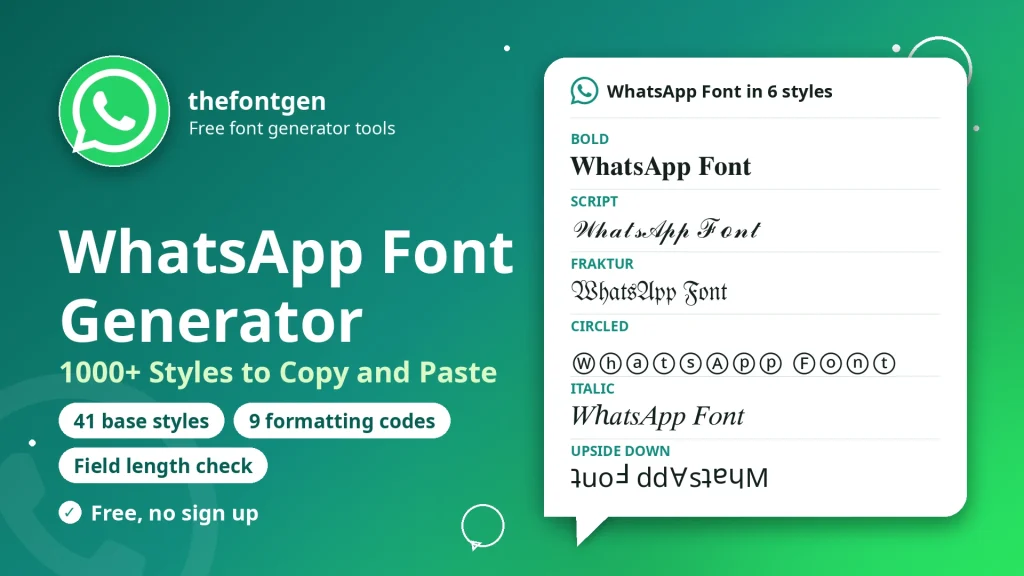
What Is WhatsApp Fonts
WhatsApp fonts are styled versions of your normal letters that you copy from a tool and paste into WhatsApp. WhatsApp has no font picker for your name, About line or messages, so the styled look has to come from outside the app. People reach for whatsapp fonts when a plain name or About line feels too ordinary.
The styled letters are Unicode characters, and Unicode is the shared standard that gives every character its own code point, a unique number that phones and computers all agree on. When your device saves or sends a character, an encoding like UTF-8 or UTF-16 turns that code point into bytes, the same way it handles plain letters and emoji. For example, the words WhatsApp Font in Bold look like this: 𝐖𝐡𝐚𝐭𝐬𝐀𝐩𝐩 𝐅𝐨𝐧𝐭, and every letter there is a real Unicode character, not an image.
Because the result is plain text, it travels through your clipboard like any other words. You copy it on Android, paste it on iPhone, or send it from WhatsApp Web, and the other person usually sees the same style. That is also why these unicode fonts need no install, no app download and no font file.
How WhatsApp Fonts Work
Many styled letters come from the Mathematical Alphanumeric Symbols block of Unicode, which holds bold, italic, script and double struck forms of the same letters. One whatsapp font style is usually built from one such set, so your words stay the same and only the characters change.
Other styles come from other parts of Unicode. Circled and squared letters come from the enclosed symbol sets, and underline or strikethrough styles add a small combining mark over or under a plain letter. For example, the sample text WhatsApp Fonts in Circled looks like this: ⓌⓗⓐⓣⓢⒶⓟⓟ Ⓕⓞⓝⓣⓢ, and each letter is a separate character your phone already knows.
A real font file tells a device how to draw a letter, and this tool does not give you such a file. It gives you finished characters you can paste, which is why different fonts can appear in your name or About line even though WhatsApp itself offers no whatsapp fonts setting.
How to Use This WhatsApp Fonts Tool
The tool is a copy paste font tool, so the whole job takes a few taps. The steps below follow the real buttons and tabs on this page, in the order you will use them. For example, the walkthrough uses the short name Ali, because a profile name is the most common first job for whatsapp fonts.
Pick Your Field Tab
Start with the field tabs above the input box, because each field has its own limit. The tabs carry the field limits this tool works with: Name with 25 characters, About with 139, Status with 700, Message with no limit set, and Group name with 100. Two of those settings belong to this tool, not to WhatsApp itself: the Message tab’s no limit setting, and the 500 character cap on the input box, which is why the Status tab works with text up to 500 here.
For example, Ali taps the Name tab before typing, so every card will judge his text against the 25 character name limit.
Type or Paste Your Text
Type your words in the box, or use the Paste button to bring text in from your clipboard, and the Clear button empties the box again. The counter under the box counts your characters as you type, and the box accepts up to 500 characters.
For example, Ali types his name and the counter shows 3 / 500. If you leave the box empty, the cards preview the sample text WhatsApp Fonts, and the Copy and Send buttons stay blocked until you type something of your own.
Filter the Styles With the Pills
The filter pills sit above the cards and sort the styles into smaller groups. The pills are All, WhatsApp codes, Favorites, Safe, Bold, Italic, Script, Gothic, Bubble, Small, Lines and Decorated.
The first load shows 24 cards. For example, Ali taps the Bold pill, and the grid narrows to the bold family, where his name in Bold looks like this: 𝐀𝐥𝐢.
Check the Length on the Card
Every card shows its style name, your styled text, and the copied text length against your chosen field limit. When the text runs over the limit, that count turns orange as a warning.
For example, the card for Ali in Bold shows 3 / 25 under the Name tab, so he knows it fits before he copies. Some decorated and combining mark styles make the copied text longer than what you typed, and this check is where you catch that.
Copy or Send the Style
Press Copy on a card to put the styled text on your clipboard, then paste it into WhatsApp. Press Send instead, and WhatsApp opens through its share link, so you pick the chat yourself and send the styled text there.
For example, Ali copies 𝐀𝐥𝐢 and pastes it into his profile name field, and the bold letters appear there at once. The Load More button below the grid shows the next 24 cards in the same fixed order, and it never invents new styles, it only reveals more of the list.
Two extra buttons help when you reuse these whatsapp fonts. The star on a card saves that style to your Favorites, stored in your browser on your own device, and the Random button shows one surprise pick above the grid, like a Script style with a soft Glow wrap.
WhatsApp Formatting Codes
Alongside the Unicode styles, WhatsApp has its own built in formatting, and the WhatsApp codes pill in this tool shows 9 code cards in one grid. Eight of them are formats WhatsApp documents itself, and the ninth is the bold and italic combination. This whatsapp text style code set is the native way to format a message, and you type the symbols yourself inside the chat.
For example, the words Meeting at 5 become bold when you type Meeting at 5 in a chat, and the stars hide themselves in the sent message.
Bold, Italic and Strikethrough Codes
For whatsapp bold text, wrap the words in stars, like Meeting at 5. For italic, wrap them in underscores, like Running late, and for strikethrough, wrap them in tildes, like ~Old price~.
You can also combine bold and italic in one code, written as Running late. Bold text in whatsapp chats makes one line stand out in a long thread without shouting in capital letters.
Monospace and Inline Code
The monospace code wraps your text in three backticks on each side. It gives the message a typewriter look, and it suits codes, numbers or anything you want to keep visually separate, like a booking reference typed as “`PK-4821“`.
The inline code uses one backtick on each side, like Send, and it marks a short word or command inside a normal sentence. Monospace text usually cannot combine with bold or italic, so pick one treatment for that line.
Quote, Bullet List and Numbered List
The quote code starts a line with the greater than sign and a space, like > See you at the gate, and WhatsApp shows it as a quoted block. It helps when you repeat an earlier point or share a line someone else wrote.
The bullet list code starts each line with a star and a space, and WhatsApp also accepts a hyphen in the same place. The numbered list code starts each line with a number, a dot and a space. For example, a shopping list typed line by line with the bullet code shows as neat dots in the chat, which is easier to read than one long line.
Codes vs Unicode Fonts
These two systems of whatsapp fonts look similar in a chat, but they work in different places. The formatting codes belong to WhatsApp itself, so they format messages only, and they do nothing inside your profile name, About line or a group name.
Unicode styles belong to your text, so they travel with the words wherever text can go. For example, if Ayesha Khan types her name with stars around it in the name field, the stars show as plain stars, but her name in Script, 𝒜𝓎ℯ𝓈𝒽𝒶 𝒦𝒽𝒶𝓃, shows styled because the letters themselves are styled.
A simple rule covers most cases. Use the codes for bold whatsapp emphasis inside messages, and use Unicode styles for names, About lines, status text and group names. The same Unicode styles also travel to other apps, which is why insta text styles built the same way work in an Instagram bio too.
Popular Base Styles
Every card in this tool starts from one of 41 base styles, and the decorations then multiply those bases into the full set. Learning the base families first makes the whole whatsapp font style list much easier to browse, because most decorated cards are a base you already know with a wrap added.
For example, the Bold pill holds 249 cards, the Bubble pill holds 150, and the Script pill holds 83.
Bold and Italic Styles
Bold is the strongest plain look in the set, and it suits names and short headings. For example, Good Morning in Bold looks like this: 𝐆𝐨𝐨𝐝 𝐌𝐨𝐫𝐧𝐢𝐧𝐠, and the same words in Italic look like this: 𝐺𝑜𝑜𝑑 𝑀𝑜𝑟𝑛𝑖𝑛𝑔.
The family also holds Bold Italic, Sans, Bold Sans and Monospace bases for a cleaner modern feel. If you like this leaning look for other apps too, the leaning text styles page covers italic looks in more depth. Bold letters in whatsapp names work well because they stay readable even at small sizes on a chat list, and a full page of thick text styles exists for readers who want this heavy family on its own.
Script Styles
Script styles copy the flow of handwriting, with joined and sweeping letters. For example, WhatsApp Fonts in Script looks like this: 𝒲𝒽𝒶𝓉𝓈𝒜𝓅𝓅 ℱℴ𝓃𝓉𝓈.
A script whatsapp font style suits signatures, About lines and gentle greetings more than long messages. Readers who enjoy this family often explore flowing letter styles as well, since both come from the same handwriting idea. Keep script for short lines, because the fine strokes get harder to read in a full paragraph
Gothic Styles
The Gothic family here means the Fraktur and Bold Fraktur bases, the old blackletter look with sharp, dense strokes. The Gothic pill holds 60 cards built from those two bases and their decorations.
For example, WhatsApp Font in Fraktur looks like this: 𝔚𝔥𝔞𝔱𝔰𝔄𝔭𝔭 𝔉𝔬𝔫𝔱, the same dark mood as ink text styles used for tattoo lettering. Gothic suits gamer names, group names and short display lines where a strong mood matters more than speed of reading.
Bubble and Box Styles
The Bubble family groups five bases: Circled, Black Circled, Squared, Black Squared and Parenthesized. For example, Party Time in Circled looks like this: Ⓟⓐⓡⓣⓨ Ⓣⓘⓜⓔ, and WhatsApp Fonts in Black Circled looks like this: 🅦🅗🅐🅣🅢🅐🅟🅟 🅕🅞🅝🅣🅢.
These round text styles feel playful, and they suit status lines, nicknames and fun group names. The Parenthesized form, ⒲⒣⒜⒯⒮⒜⒫⒫ ⒡⒪⒩⒯⒮, is the softest of the five. Use them for short text only, because a full sentence inside circles is slow to read.
Small Caps and Superscript
Small Caps writes your words in small capital shapes, which gives a calm and tidy look. For example, WhatsApp Font in Small Caps looks like this: ᴡʜᴀᴛsᴀᴘᴘ ꜰᴏɴᴛ, and you can see the letter s stays plain, because Unicode has no small cap s.
Superscript lifts tiny letters above the line, like this: ᵂʰᵃᵗˢᴬᵖᵖ ᶠᵒⁿᵗ. The Small pill holds 60 cards from these two families. Different writing styles like these suit short labels and quiet About lines, where the effect should whisper rather than shout.
Decorated Styles
Decorations are the second half of whatsapp fonts in this tool, and they explain how 41 bases become 1,090 cards. A decorated card keeps a base style and adds symbols around it or between its letters, and the Decorated pill holds 1,049 of these cards.
Every decorated card still shows its font style name on the card, like Bold with Sparkles, so you always know which base you are copying. For example, if you want a fancy whatsapp look for a greeting, a wrapped Script card usually gives it in one tap. Readers who enjoy this decorated side often browse pretty letter styles too, where the same gentle idea serves other apps.
Wrap Decorations
A wrap decoration puts a matching symbol before and after your styled text. The tool has 22 wraps, including Sparkles, Stars, Hearts, Crown, Fire, Moon and Wings.
For example, WhatsApp Font in Bold with the Sparkles wrap looks like this: ✨ 𝐖𝐡𝐚𝐭𝐬𝐀𝐩𝐩 𝐅𝐨𝐧𝐭 ✨, and in Script with the Hearts wrap like this: ♡ 𝒲𝒽𝒶𝓉𝓈𝒜𝓅𝓅 ℱℴ𝓃𝓉 ♡. Wraps add length to the copied text.
Symbols Between Letters
The second decoration kind slips one symbol between every letter of your text. There are 7 of these joins, with hearts, flowers, stars, dots, sparks, waves and arrows, and they apply to the 21 plain bases only.
For example, WhatsApp Font in Bold with Hearts Between looks like this: 𝐖♡𝐡♡𝐚♡𝐭♡𝐬♡𝐀♡𝐩♡𝐩 𝐅♡𝐨♡𝐧♡𝐭. This kind of stylish text is popular on whatsapp for a name or a one line status, but it doubles the character count fast, so it rarely fits the 25 character name field. Sweet text styles use a similar soft idea, with gentle symbols around short words.
Safe Styles and Readability
The Safe pill is the quiet hero of this tool, and it holds 18 base styles with no combining marks and no decorations. These are the styles most likely to show correctly on almost every phone, old or new.
Readability is the other half of safe. A screen reader may skip some Unicode styles or read them letter by letter, so a name that looks fine to you can sound broken to a friend who listens to their phone. For example, a delivery note like “Order total 850 rupees, gate 4” should stay in plain text, so every customer hears and reads it exactly right.
Keep numbers, prices, links and addresses plain even when the rest of a line is styled. Chat search can also miss styled words, so a styled price may not appear when someone searches the chat later. One styled phrase per message is usually enough, and plain text should carry anything the reader must act on.
Where You Can Use WhatsApp Fonts
The field tabs in this tool exist because each place in WhatsApp has its own limit and its own job, so you can build your whatsapp fonts field by field. For example, the same word can be copied into all five fields, but only the Message field accepts it at any length.
Profile Name
Your profile name allows 25 characters, and it is the first thing people see in a chat list. A whatsapp stylish name usually works best in a clean base like Bold, Sans or Small Caps, because those stay readable at small size.
For example, the name Bilal in a plain Bold base takes only 5 of the 25 characters, leaving room to spare. In practice, clean whatsapp fonts beat decorated ones in a name field.
A stylish name for WhatsApp should still read like your real name, so friends can find you in search. Save heavy decorations for status lines instead.
About Line
The About line allows 139 characters, and it sits under your name on your profile. This field rewards a stylish About line that people notice, but one that stays calm enough to read in one glance.
For example, an About line like “Less noise, more work” in Script gives a WhatsApp bio a stylish feel without hiding the words. One short line in one style is usually enough, and plain text suits anything formal like office hours or a work role.
Status
Status text sits on a photo or a plain background for 24 hours, and it rewards short and clear lines. The tool lists the Status limit as 700 characters, but its own input box stops at 500, so in practice you can build status text up to 500 characters here.
For example, a status line like “Back online after a long break” in Circled is easy to read over a photo, and short lines work best because the photo already carries the mood. These status fonts also pair well with one emoji, though the words should carry the meaning on their own.
Messages
Messages have no field limit in this tool, and they are the one place where both systems work. You can paste whatsapp fonts, or type the native codes, and good whatsapp message text design usually mixes one styled line with plain lines around it.
For example, typing Sale ends today at the top of a plain message makes the offer clear without styling the whole text. Long styled paragraphs tire the reader, so save full styling for headings, greetings and short announcements.
Group Name
A group name allows 100 characters, and every member sees it in their chat list. These group name fonts should name the group clearly first and look stylish second, because a name nobody can read helps no one.
For example, “Family Dinner Plan” in Bold Sans is clear at a glance and still looks different from a plain group name. Admins should avoid joins and heavy wraps here, so the name stays inside the 100 character limit.
WhatsApp Business
Business profiles use the same name, About and message fields, so the same styles apply. The difference is tone: customers should read prices, timings and offers without effort, so native bold codes and Safe styles usually serve a business better than decorated ones.
For example, a shop can bold a product name in a broadcast message and keep the price and address in plain text below it. A calm whatsapp font style builds more trust than a name wrapped in crowns and fire symbols.
How to Change Font Style in WhatsApp Without a Tool
A tool is not the only route, and this section answers how to change font style in whatsapp using only the app itself. The honest starting point is that WhatsApp has no global font setting, so every change happens per message or per field.
Use the Built In Formatting Menu
Inside a chat, type your message, then press and hold on the words to select them. On Android, the menu usually offers Bold, Italic, Strikethrough and Monospace, and on iPhone the Format option opens a similar list.
For example, selecting the word Important and tapping Bold gives the same result as typing Important, without remembering any symbol. This menu is the simplest whatsapp font style change for people who only format a line now and then.
Change the Font Size on Your Phone
If your real problem is small text, font size is a separate setting from style. On most current Android versions, open WhatsApp Settings, then Chats, then Font size, and pick Small, Medium or Large, though menu names can vary slightly between versions.
On iPhone, WhatsApp usually follows the system text size, so open the phone Settings, then Display and Brightness, then Text Size. For example, a larger system size makes every chat easier to read for someone with weak eyesight, and it changes nothing for the people you message.
What No Setting Can Change
There is no setting that swaps the default look of the whole app, so a full whatsapp font change for every chat at once does not exist. Anyone promising a change font on whatsapp trick for the whole app is usually selling a keyboard app or a launcher theme, which changes your phone, not WhatsApp.
A writing style change inside WhatsApp always comes down to the two systems in this article: native codes for messages, and Unicode text for names and profiles. Once you accept that limit, the choice for each job becomes simple.
Color Text and DP Truth
Two popular searches about whatsapp fonts deserve a straight answer, because both promise something a text tool cannot do. This section covers whatsapp color text and the DP question honestly, so you do not waste time on tricks that cannot work.
The Truth About WhatsApp Color Text
WhatsApp has no colored text feature, and no code or generator can add one. The only blue text in a chat is a link, a phone number or a mention that WhatsApp itself turns blue, and that color belongs to the app, not to your words.
For example, paste any website link in a chat and it turns blue at once, while your styled words beside it stay the normal color. Tools that promise colored letters usually give you emoji letters or flag symbols, which are pictures, not colored fonts.
The Truth About DP Fonts
Your DP, or display picture, is an image, and a text generator works on characters, not on pictures. That means a whatsapp dp font changer in the text sense cannot exist, because there is no text inside your photo for a tool to restyle.
For example, if your DP is a shop logo photo, the letters in it are part of the image file itself. To change them you would need an image editor that redraws the picture, which is a different job from copying styled text into your name or About line.
Troubleshooting
Most problems with whatsapp fonts come from a small set of causes, and each one has a simple check.
Boxes on Some Phones
A styled letter can show as an empty box or a blank space when a phone does not hold that Unicode character. Older phones and some budget models miss more characters, and the same style can look perfect on your phone and broken on a friend’s phone.
For example, a name like Noor in Black Circled may show as boxes on an old device, while the Safe styles show fine. When the text matters, send it to one friend first and ask how it looks on their screen.
When a Code Does Not Format
Native codes fail for three usual reasons: a space inside the symbols, a missing closing symbol, or the wrong symbol. Typing * Hello * with spaces leaves the stars visible, because the code must hug the words with no space inside.
For example, Hello formats, while the same word with a space after the first star does not. Also check that you used a backtick for monospace and not an apostrophe, since the two marks look alike on a small keyboard.
When Some Letters Stay Plain
Some styles cannot change every letter, because Unicode simply has no styled form for it. In Small Caps, the letters s and x stay plain, so WhatsApp in Small Caps appears as ᴡʜᴀᴛsᴀᴘᴘ with a normal s in the middle.
For example, an Urdu word typed in the box usually keeps its original letters in most styles, because these bases are built for Latin letters, though line styles like underline can still mark it.
Tips for Better Results
Pick the style for the reader, not for the tool. A name your contacts must recognize should stay close to plain, while a status line can carry more decoration. Good whatsapp fonts serve the reader first.
For example, bold one word like Offer inside a normal message, and let the plain words around it do the explaining.
Reuse what works through your Favorites, so your name, About and group styles stay consistent across chats. The same copy and paste approach travels well: a channel text maker helps a YouTube title, social text styles suit a Facebook post, and snap font styles fit a Snapchat name, because all of them rest on the same Unicode idea.
Test a new style on one chat before you use it everywhere, and watch how it looks on a second phone if you can. With those habits, whatsapp fonts stay a small pleasure instead of a readability problem, and tiktok text styles or any other styled text you copy later will follow the same rules.
Frequently Asked Questions
Conclusion
WhatsApp gives you two honest ways to style text: native codes inside messages, and Unicode styles everywhere text can go. This tool keeps both kinds of whatsapp fonts in one place, with 41 base styles, field limits on every card, and the 9 codes one tap away. Used well, whatsapp fonts stay useful, not noisy.
Start small and stay readable. For example, style your own name once with the Name tab, check that the count fits, and paste it into your profile. That one careful habit will serve you better than any heavy decoration, wherever you use whatsapp fonts next.